Mini PC vs All in One Computer: A Quick Comparison
On this page (5 sections)
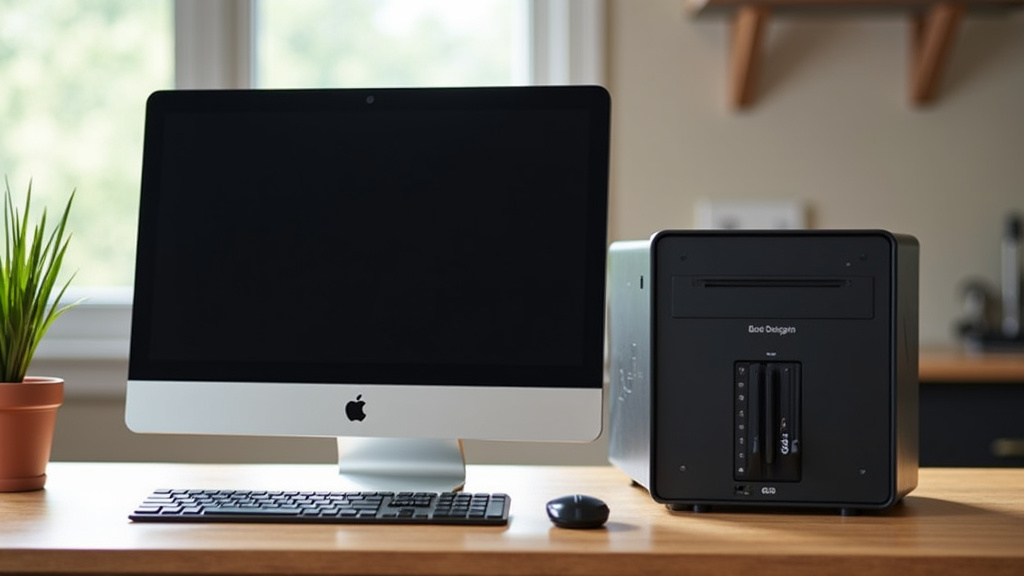
When deciding between a mini PC and an all-in-one computer, the main difference comes down to space and flexibility. A mini PC is a tiny desktop computer that connects to your existing monitor, keyboard, and mouse, offering a compact yet powerful solution. An all-in-one computer, on the other hand, has all its components built directly into the monitor, simplifying setup but limiting upgrade options.
Choosing the right one depends on your specific needs and what you want from your computer setup. You might be drawn to the sleek design of an all-in-one or the portability and upgradeability of a mini PC. We found that both have their unique advantages for different users and scenarios.
- Mini PCs are small, connect to separate monitors, and offer more flexibility.
- All-in-One computers have components inside the monitor, saving desk space.
- Mini PCs are often easier to upgrade than All-in-Ones.
- All-in-Ones provide a cleaner look with fewer wires.
- Your choice depends on your priorities: space, power, or future upgrades.
Let’s break down the key differences to help you make the best choice for your home or office.
You’re looking at two different ways to get a computer up and running without taking over your entire desk. Think of it like this: a mini PC is like a powerful engine that needs a separate car body, while an all-in-one is a sleek, self-contained sports car. Both can get you where you need to go, but they do it with very different styles and offer different benefits. We’ve looked at how these two options stack up to help you see which might be the better fit for your digital life.
Comparing Mini PCs and All-in-One Computers
Deciding between a mini PC and an all-in-one computer really comes down to what you value most: space saving, flexibility, or a clean aesthetic. We found that each type excels in different areas. Understanding these core differences will help you pinpoint the perfect computer for your needs.
What Exactly is a Mini PC?
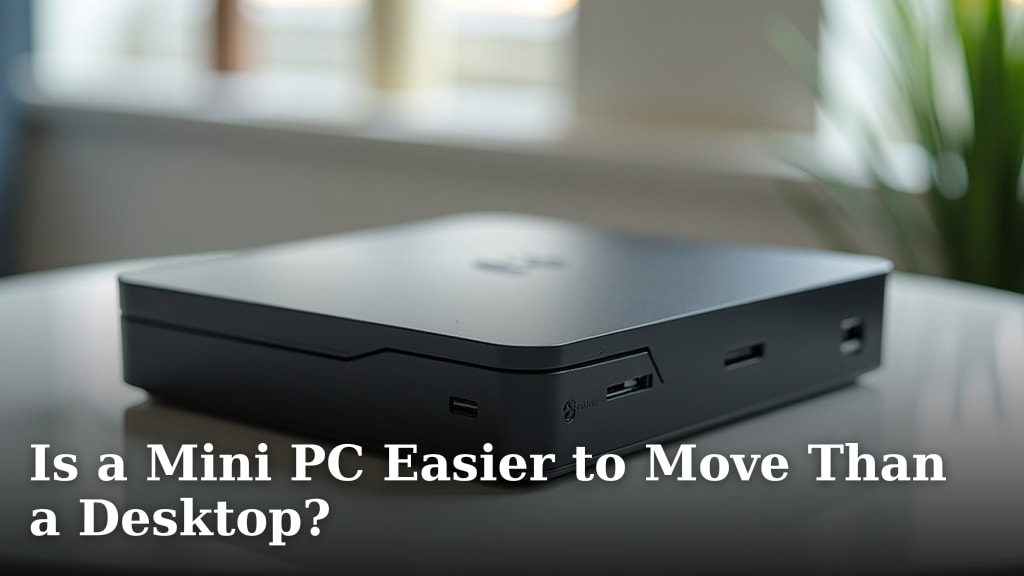
A mini PC is essentially a compact desktop computer. It’s tiny, often fitting in the palm of your hand or easily tucked away behind a monitor. The key feature is that it doesn’t include a screen, keyboard, or mouse. You’ll need to provide those yourself, connecting them just like you would with a traditional desktop tower. If portability is part of your decision, compare it with a laptop in our mini PC vs laptop comparison.
This separation is where much of its appeal lies. You can use your favorite keyboard, your preferred mouse, and any monitor you like. Many people even choose to mount them directly to the back of their monitor, creating a setup that looks almost like an all-in-one but with more freedom. We found that this modularity makes them incredibly versatile.
The Advantages of Going Mini
- Space-Saving Design: They take up very little desk real estate.
- Flexibility: You can pick your own peripherals.
- Easy Upgrades: Often simpler to swap out components.
- Portability: Easy to move between locations if needed.
- Lower Power Consumption: Generally use less electricity.
Potential Downsides of Mini PCs
- Requires Peripherals: You must buy a monitor, keyboard, and mouse separately if you don’t have them.
- Performance Limits: While powerful, they might not match the absolute top-tier performance of larger desktops for very demanding tasks.
- Cooling: Smaller form factors can sometimes lead to thermal throttling during extended heavy use.
What is an All-in-One Computer?
An all-in-one (AIO) computer integrates all the computer components into the monitor itself. Think of it as a smart TV that also functions as a full computer. Everything – the processor, memory, storage, and graphics – is housed within the monitor’s casing. This creates a wonderfully clean and minimalist setup.
The benefit here is obvious: fewer wires and a much tidier workspace. You typically just plug in the power cord, and maybe a keyboard and mouse if they aren’t wireless. For many users, this simplicity is a major selling point. We found that setting up an AIO is often as simple as plugging it in and turning it on.
The Advantages of an All-in-One
- Sleek Aesthetics: Looks great on any desk with minimal clutter.
- Simple Setup: Fewer cables mean less mess and easier setup.
- Space Efficient: Combines two devices into one footprint.
- Good for Basic Tasks: Excellent for web browsing, email, and office work.
Potential Downsides of All-in-Ones
- Limited Upgradability: This is a big one. Upgrading components like the graphics card or processor is often difficult or impossible.
- Repair Challenges: If the screen fails, the whole unit might need servicing or replacement.
- Heat and Noise: Components packed tightly can sometimes lead to more heat and fan noise.
- Fixed Screen: You’re stuck with the screen size and quality that comes with it.
Key Differences Summarized for You
Let’s break down the most important distinctions you’ll encounter when comparing these two types of computers. We looked at performance, cost, and user experience to give you a clear picture.
Performance and Power
Both mini PCs and all-in-ones can offer excellent performance for everyday tasks. For general web browsing, email, document editing, and streaming video, you’ll find capable options in both categories. However, if you’re looking for high-end gaming or professional video editing, you’ll generally find more powerful options in the traditional desktop market, and often within the mini PC space because their components are more accessible for upgrades and cooling solutions.
Mini PCs, by their nature, can sometimes house more robust cooling systems and utilize desktop-grade components, allowing for higher sustained performance. All-in-ones have to balance power with heat management within a confined space, which can sometimes lead to performance throttling on the most demanding workloads. We found that for power users, a mini PC might offer a slight edge or a more accessible upgrade path.
Space and Aesthetics
This is where the all-in-one computer truly shines. Its primary advantage is the integrated design. It looks clean, modern, and takes up significantly less desk space than a traditional desktop setup. You won’t be wrestling with a tangle of wires. Many users prefer this minimalist approach. If your desk is small or you simply want a tidy workspace, an AIO is very appealing.
Mini PCs also save space compared to full towers, but you still need to account for your monitor, keyboard, and mouse. However, the flexibility to choose your peripherals means you can tailor the aesthetic to your liking. Mounting a mini PC behind the monitor creates a very clean look, often rivaling an AIO’s tidiness without sacrificing component choice.
Cost Considerations
The cost can vary widely for both types of computers depending on the specifications. However, entry-level all-in-ones can sometimes be found at competitive prices, especially if you factor in that the monitor is included. They offer a complete package right out of the box.
Mini PCs might seem cheaper initially because they don’t include a monitor. When you add the cost of a monitor, keyboard, and mouse, the total investment can become comparable to, or even exceed, that of an all-in-one. However, the long-term cost of ownership for a mini PC can sometimes be lower due to easier upgrades and repairs, as opposed to replacing an entire all-in-one unit.
Upgradability and Longevity
This is a major differentiator. Mini PCs are generally much easier to upgrade. You can often swap out RAM, storage drives, and sometimes even the Wi-Fi card. This allows you to extend the life of your computer or boost its performance as your needs change. If a component fails, it’s usually a straightforward replacement.
All-in-one computers, on the other hand, are notoriously difficult to upgrade. The components are tightly packed and often soldered directly onto the motherboard or display assembly. Upgrades are usually limited to RAM or storage, and even those can be challenging depending on the model. We found that for users who like to tinker or plan to keep their computer for many years, the upgradeability of a mini PC is a significant advantage.
Ease of Setup and Use
For plug-and-play simplicity, the all-in-one often wins. You connect the power, and you’re pretty much good to go, especially if you have wireless peripherals. It’s ideal for someone who just wants their computer to work without fuss.
Setting up a mini PC involves connecting a few more cables – one for the monitor, one for the keyboard, one for the mouse, and the power. While it’s still very simple and comparable to setting up a traditional desktop, it’s not quite as streamlined as an AIO. However, many mini PCs come with everything you need for a basic setup in the box. We found that most users find both options quite straightforward after the initial connection.
Making Your Final Choice: A Quick Checklist
To help you decide, consider these points:
- Do you want maximum desk space and a minimalist look? An All-in-One might be your preference.
- Do you already have a monitor, keyboard, and mouse you love? A Mini PC makes sense.
- Are you planning to upgrade components down the line? Look towards a Mini PC.
- Is budget a primary concern, and you want everything included? Compare entry-level All-in-Ones.
- Do you need the absolute highest performance for demanding tasks? Both can work, but a Mini PC often offers a more robust path.
- Is ease of setup the most important factor? An All-in-One is generally the simplest.
Conclusion
You’ve seen how mini PCs and all-in-ones offer distinct approaches to computing. A mini PC provides flexibility and upgradeability for those who like to customize or plan for the future, connecting to your existing setup. On the other hand, an all-in-one delivers a clean, simple aesthetic with an integrated design, perfect for tidying up your workspace. Consider what matters most to you: space, customization, or a clutter-free look. Your choice will lead you to a computer that fits your daily digital life.
Frequently Asked Questions
Can a mini PC really replace a full desktop for demanding tasks?
Yes, many mini PCs can handle demanding tasks surprisingly well, especially with good cooling and higher-end components. We found they often rival desktop performance for gaming or professional work, though top-tier specialized machines might still have an edge.
Are all-in-one computers worth it if I already have a monitor?
If you already have a monitor you love, an all-in-one likely isn’t the best fit. You’d be paying for a screen you don’t need, and mini PCs offer more freedom to use your preferred peripherals.
Which type of computer is better for someone who moves frequently?
A mini PC is generally better for frequent movers. Its small size and modular design make it much easier to pack up and set up again compared to an all-in-one’s integrated unit.
How do I know if I need to upgrade my mini PC later?
You’ll know if you need an upgrade when your current setup starts slowing down for the tasks you perform. With a mini PC, you can often add more RAM or a larger storage drive to boost performance without replacing the whole computer.
Is an all-in-one a good choice for a child’s first computer?
An all-in-one can be a great choice for a child’s first computer due to its simple setup and tidy appearance. It offers a clean, clutter-free experience perfect for homework and general use without complex wiring.