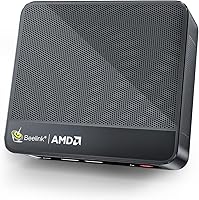
9 Best Mini PCs for Emulation (October 2026)
The best mini PCs for emulation include the ACEMAGIC X3 Mini Gaming PC Ryzen for demanding emulation, the Beelink SER5 MAX Mini PC for a strong all-around setup, and the BOSGAME E5 Plus Mini PC for midrange emulation.
On this page (6 sections)
The ACEMAGIC X3 Mini Gaming PC Ryzen is the strongest emulation pick here for newer or more demanding systems, thanks to its Ryzen 7 H 255 processor and Radeon 780M graphics. For classic consoles and lighter needs, an N95 model can be a more modest starting point.
Emulation performance depends on the system being emulated, the emulator, and its settings. A mini PC that handles older consoles may struggle with newer ones, so match the hardware to your own game library.
Our picks at a glance
-
1

-
2
-
3

- 4
 Best for emulation and expandabilityCheck it
 - 5
 Best for large libraries and multitaskingCheck it
 - 6
 Check it
KAMRUI AK1PLUS Mini PC Computer
Best for everyday use and classic systems - 7
 Best for a budget Ryzen setupCheck it
 - 8
 Check it
GMKtec G3S Mini PC Computers Intel N95
Best for basic classic emulation - 9
 Best for a compact starter setupCheck it
Which mini PCs for emulation suit different systems?
The best mini PC for emulation depends on the console era you want to run. Our top picks span entry-level Intel N95 systems, Ryzen 3 and Ryzen 5 options, and faster Ryzen 7 models with Radeon graphics.
ACEMAGIC X3 Mini Gaming PC Ryzen: Best for demanding emulation
- AMD Ryzen 7 H 255, 8 cores and 16 threads
- Radeon 780M integrated graphics
- 16GB LPDDR5 RAM
- 1TB NVMe SSD
The Ryzen 7 H 255 and Radeon 780M make this the most capable emulation pick in this group. It also starts with a 1TB SSD for a larger library.
Pros
- Radeon 780M graphics
- 16GB LPDDR5 RAM
- 1TB SSD
Cons
- Memory is soldered and not upgradeable
The ACEMAGIC X3 pairs an 8-core, 16-thread Ryzen 7 H 255 with Radeon 780M integrated graphics. That gives it the strongest stated graphics setup in this group for buyers who want more room to explore demanding emulators.
It comes with 16GB LPDDR5 RAM and a 1TB NVMe PCIe 4.0 SSD. The larger starting drive can help if you plan to keep multiple emulator installations and a sizeable collection of legally obtained game files.
ACEMAGIC describes the system as suited to retro emulators and casual gaming. Actual results depend on the emulator, settings and game, so check the requirements for the systems you care about before choosing.
One trade-off is the memory: it is soldered LPDDR5, so you can't add more later. Choose this model if you want the strongest combination of stated processor and graphics hardware here, and are comfortable with 16GB fixed memory.
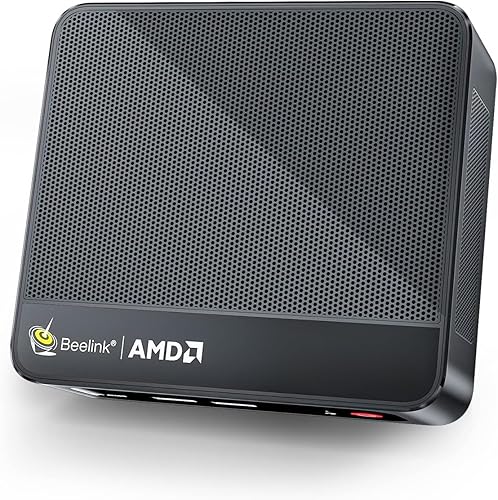
Beelink SER5 MAX Mini PC: Best for a strong all-around setup
- AMD Ryzen 7 7735U, 8 cores and 16 threads
- AMD Radeon Graphics with 12 cores
- 24GB LPDDR5 RAM
- 1TB NVMe SSD
This Ryzen 7 system pairs integrated Radeon graphics with 24GB of memory and a 1TB SSD. It suits buyers who want room for an emulator setup and other desktop tasks.
Pros
- 8-core, 16-thread processor
- 24GB LPDDR5 memory
- 1TB SSD
Cons
- The specs don't identify the Radeon graphics model
The Beelink SER5 MAX combines an 8-core, 16-thread Ryzen 7 7735U with integrated AMD Radeon Graphics. Its 24GB LPDDR5 memory and 1TB NVMe SSD give you more starting capacity than most options in this roundup.
That combination makes it a flexible choice for an emulation setup that also serves as a general desktop. You can keep emulator software and game files on the SSD while using the machine for everyday computing.
The stated specs identify integrated Radeon graphics but don't name the graphics model. If you are choosing it for a particular console, verify the emulator's requirements and seek current compatibility information for the specific game and settings.
Choose the SER5 MAX if you want generous memory and storage with a Ryzen 7 processor. The ACEMAGIC names Radeon 780M graphics, which gives buyers a clearer graphics reference for comparing the two higher-performance picks.
BOSGAME E5 Plus Mini PC: Best for midrange emulation
- AMD Ryzen 3 5400U, 4 cores and 8 threads
- 8GB DDR4 RAM
- 256GB SATA SSD
- Expandable memory and storage
The Ryzen 3 5400U offers more processing headroom than the entry-level Intel N95 options here. Its memory can be upgraded, and an extra M.2 NVMe slot supports storage expansion.
Pros
- 4-core, 8-thread Ryzen processor
- Memory can be upgraded
- Extra M.2 NVMe slot
Cons
- Starts with 8GB RAM
The BOSGAME E5 Plus is a middle ground for buyers who want a Ryzen processor without stepping up to a Ryzen 7 system. Its Ryzen 3 5400U has 4 cores and 8 threads, and the system includes 8GB DDR4 memory.
The 256GB SATA SSD is a modest starting point for an operating system, emulator software and a small library. BOSGAME provides two SODIMM slots for memory upgrades up to 64GB, plus an extra M.2 NVMe slot for storage expansion.
The processor and upgrade options make it worth considering for a mixed-use mini PC. Emulation results will vary by console and emulator, so look up the requirements for the games you intend to run before relying on this system.
Choose the E5 Plus if expandability matters and you're comfortable upgrading memory or storage later. If you prefer a stated Radeon graphics configuration, compare it with the E5 11 Pro below.
BOSGAME E5 11 Pro Mini PC: Best for emulation and expandability
- AMD Ryzen 3 5300U, 4 cores and 8 threads
- Radeon Graphics with 6 graphics cores
- 8GB DDR4 RAM
- 256GB NVMe SSD with a second M.2 slot
The Ryzen 3 5300U and Radeon graphics give this model a capable foundation for a mixed emulation library. Dual memory slots and a second M.2 slot leave room to upgrade.
Pros
- Radeon graphics with 6 graphics cores
- Memory expansion up to 64GB
- Second M.2 NVMe slot
Cons
- Starts with 8GB RAM and a 256GB SSD
The BOSGAME E5 11 Pro gives you a Ryzen 3 5300U with Radeon graphics featuring 6 graphics cores. It comes with 8GB DDR4 RAM and a 256GB NVMe SSD, with room to add memory and storage.
The dual SODIMM slots support up to 64GB RAM, and a second M.2 2280 NVMe slot lets you add another SSD without replacing the installed drive. Those options can help if the initial setup feels tight as your library grows.
BOSGAME describes this PC as suitable for casual gaming, but that doesn't guarantee a particular emulator or game will run well. Check the software requirements for your intended systems, especially if you plan to use higher resolutions or demanding settings.
Pick the E5 11 Pro if you want a Ryzen 3 system with stated Radeon graphics and multiple upgrade paths. For newer emulation systems, consider the Ryzen 7 options with Radeon 780M graphics.
Getorli Mini PC Ryzen 7 H: Best for large libraries and multitasking
- AMD Ryzen 7 H 255, 8 cores and 16 threads
- Radeon 780M integrated graphics
- 16GB DDR5 RAM
- 1TB PCIe 4.0 SSD
The Ryzen 7 H 255 and Radeon 780M suit demanding emulation and larger libraries. It has two M.2 slots, dual 2.5G LAN and support for up to four 4K displays.
Pros
- Radeon 780M graphics
- 1TB SSD and a second M.2 slot
- 16GB DDR5 memory
Cons
- Warranty is 1 year
The Getorli Mini PC Ryzen 7 H has the same Ryzen 7 H 255 and Radeon 780M pairing as the ACEMAGIC X3. It also includes 16GB DDR5 memory and a 1TB PCIe 4.0 SSD.
Its two M.2 2280 slots support storage expansion up to 4TB total, according to Getorli. That may suit someone keeping several systems and game files on the machine, while dual 2.5G LAN and four display outputs add flexibility for other desktop uses.
For a PC dedicated to running services, see mini PCs for Linux servers.
Getorli describes the graphics as suitable for mini PC gaming. Emulator performance still depends on the individual system, software and settings, so compare requirements before you buy.
Choose this model if you want the Ryzen 7 H 255 and Radeon 780M with two M.2 slots. The ACEMAGIC X3 is another option with the same named processor and graphics, while the Getorli lists expandable memory and storage.
KAMRUI AK1PLUS Mini PC Computer: Best for everyday use and classic systems
- Intel Celeron N5095, 4 cores and 4 threads
- Intel UHD Graphics
- 16GB LPDDR4X RAM
- 256GB M.2 SSD
The N5095 and Intel UHD Graphics are suited to classic systems and lighter emulation needs. Its 16GB memory and options for adding storage can also support a broader home setup.
Pros
- 16GB LPDDR4X RAM
- Supports M.2 and 2.5-inch storage expansion
- Two HDMI outputs
Cons
- N5095 is an entry-level processor
The KAMRUI AK1PLUS is an entry-level choice for classic systems and lighter emulation. Its Intel Celeron N5095 has 4 cores and 4 threads, paired with Intel UHD Graphics and 16GB LPDDR4X memory.
The included 256GB M.2 SSD can be supplemented with an M.2 drive and a 2.5-inch SATA drive, each supported up to 2TB. That expansion flexibility is useful if your game files take more space than the original drive allows.
The N5095 is best considered for less demanding emulation rather than as a match for the Ryzen 7 systems above. Check specific emulator requirements before choosing it for newer consoles.
Choose the KAMRUI if you want 16GB memory and multiple storage options in a compact computer for classic systems. For a Ryzen alternative at a lower tier, compare the Glorlin Mini PC.
Glorlin Mini PC: Best for a budget Ryzen setup
- AMD Ryzen 5 3500U, 4 cores and 8 threads
- AMD Radeon Vega 8 graphics
- 8GB DDR4 RAM
- 256GB NVMe SSD
The Ryzen 5 3500U and Vega 8 graphics offer a Ryzen-based alternative for buyers exploring emulation on a compact desktop. Memory can be expanded up to 32GB.
Pros
- 4-core, 8-thread processor
- Vega 8 graphics
- Memory can be expanded
Cons
- Starts with 8GB RAM and a 256GB SSD
The Glorlin Mini PC uses an AMD Ryzen 5 3500U with Radeon Vega 8 graphics. For more systems using AMD processors, browse our best AMD mini PCs.
Its 8GB DDR4 memory and 256GB NVMe SSD provide a basic starting configuration, and the memory can be expanded up to 32GB.
The Ryzen 5 processor gives this model a different profile from the Intel N95 systems. It may appeal to buyers who want a Ryzen-based mini PC for lighter emulation, desktop use and media playback in one small machine.
Glorlin describes the computer as suitable for daily use and media streaming. For systems chosen for that media role, see our mini PCs for 4K streaming.
For emulation, those broad uses don't guarantee compatibility with every console; check the requirements for the emulator and game you plan to run.
Pick the Glorlin if the Ryzen 5 3500U and expandable memory fit your budget and expected library. If you mainly want a low-power starter system for older games, the N95 options may be enough.
GMKtec G3S Mini PC Computers Intel N95: Best for basic classic emulation
- Intel N95, 4 cores and 4 threads
- Intel UHD Graphics
- 8GB DDR4 RAM
- 256GB M.2 SSD
This N95 system is a compact starting point for lighter emulation needs. It includes two HDMI outputs and a 256GB SSD, with its limits best suited to buyers who don't need high-end systems.
Pros
- N95 processor with 4 cores
- Two HDMI outputs
- 256GB SSD
Cons
- 8GB RAM
The GMKtec G3S is a basic option built around an Intel N95 processor and Intel UHD Graphics. It comes with 8GB DDR4 memory and a 256GB SSD, making it a reasonable starting point for lighter emulation needs.
Two HDMI 2.0 ports support dual displays, and the computer also has USB 3.2, Gigabit Ethernet, Wi-Fi 5 and Bluetooth 5.0. These connections can help you build a compact TV or desk setup with the peripherals you already use.
The N95 is an entry-level processor, so this model is best matched to older or less demanding systems. Check the emulator's requirements before expecting it to run a newer console smoothly.
Choose the G3S if your main aim is a compact mini PC for classic systems and basic desktop tasks. Buyers who want more graphics headroom should look at a Ryzen model with Radeon graphics.
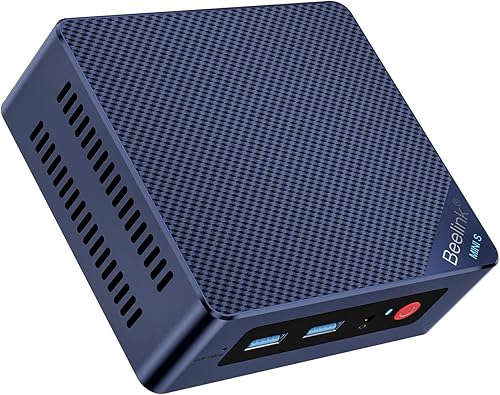
Beelink Mini S12 Mini PC: Best for a compact starter setup
- Intel N95, 4 cores and 4 threads
- Intel UHD Graphics
- 8GB DDR4 RAM
- 480GB SATA SSD
The N95 processor makes this a fit for lighter emulation, while the 480GB SSD offers more room than the 256GB starter drives. Choose it for a compact setup centered on classic systems.
Pros
- 480GB SSD
- N95 processor
- 2.5G LAN
Cons
- 8GB RAM
The Beelink Mini S12 uses an Intel Alder Lake-N95 processor with Intel UHD Graphics. Its main advantage over the other N95 option here is the larger 480GB SATA SSD, which gives you more room for software and files at the start.
The system includes 8GB DDR4 RAM, dual HDMI and 2.5G LAN. Beelink says its memory can be upgraded to 16GB and storage to 4TB, with upgrades sold separately.
This model suits buyers building a starter setup for classic systems and lighter emulation. The N95 and 8GB RAM aren't a guarantee of compatibility across all consoles, so check the emulator requirements for your planned library.
Choose the Mini S12 if you want an N95 mini PC with more included SSD space than a 256GB configuration. For emulators that need more CPU or graphics capacity, step up to one of the Ryzen systems.
How should you choose an emulation mini PC?
Choose an emulation mini PC by starting with the most demanding console you plan to run. Then compare the emulator's CPU, graphics and memory requirements with the computer's stated hardware.
Older systems may run on lower-powered hardware, while newer consoles can need substantially more CPU and graphics capability. If you're unsure, look for current compatibility reports for the specific emulator and games, because performance can change with settings and software updates.
The processor name alone doesn't tell the whole story. Integrated graphics share system memory, and an emulator can depend more on one component than another.
Is an N95 mini PC enough for classic consoles?
An N95 mini PC can be a sensible starting point for lighter emulation and classic consoles. Both the GMKtec G3S and Beelink Mini S12 pair Intel N95 processors with integrated Intel UHD Graphics and 8GB RAM.
Choose between them by the storage you want out of the box: the GMKtec has a 256GB SSD, while the Beelink includes a 480GB SATA SSD. Neither should be treated as a universal solution for every console.
When should you choose a Ryzen mini PC?
A Ryzen mini PC is worth considering when you want more headroom for demanding emulators or broader desktop use. The options here include Ryzen 3, Ryzen 5 and Ryzen 7 processors with integrated Radeon graphics.
The Ryzen 7 H 255 models identify Radeon 780M graphics, while the Ryzen 5 3500U model names Radeon Vega 8. Compare the emulator requirements and current compatibility reports rather than assuming all Ryzen systems perform alike.
For general gaming context, read Is a Mini PC Good for Gaming? A Solid Answer.
If you want to use the computer for more than emulation, What Is a Good Use Case for a Mini PC? What to Know covers other roles.
How much storage does an emulation setup need?
Storage needs depend on the number of systems and games you keep on the mini PC. These picks range from 256GB to 1TB of included SSD capacity, and several have options for adding more.
Use a storage estimate that includes the operating system, emulator software, saves and other files, not only game files. Our guide to how much storage you need in a mini PC can help you plan capacity.
Which mini PC for emulation should you pick?
Pick the ACEMAGIC X3 or Getorli if you want a Ryzen 7 H 255 with Radeon 780M graphics for more demanding emulation. Choose the Beelink SER5 MAX for 24GB memory and 1TB storage, or a Ryzen 3 option if expandability matters.
For classic systems, an N95 model can be a sensible starting point. Match the mini PC to the emulator requirements and games you plan to run before choosing.
Our top 3 picks at a glance
-
1
-
2
-
3
Frequently asked questions
What makes a mini PC suitable for emulation?
A suitable mini PC has enough processor and graphics capability for the systems you want to emulate. Classic consoles usually place lighter demands than newer systems, so check the emulator's requirements and compare them with the computer's CPU, integrated graphics and memory.
Also leave room for the operating system, emulator files and games.
Is an Intel N95 mini PC enough for emulation?
An Intel N95 mini PC can be a reasonable starting point for lighter emulation and classic systems. The N95 models here have integrated Intel UHD Graphics and 8GB RAM, so don't assume they will suit every console or demanding emulator.
Check requirements for the specific systems you plan to run.
How much storage do I need for an emulation mini PC?
Storage needs depend on the number of games and systems you keep locally. These picks range from 256GB to 1TB SSDs, and some support additional storage.
Keep your game files within the law and check emulator and game license terms.
Our mini PC storage guide explains how to estimate space.
Do I need a gaming mini PC for emulation?
Not always. A lower-power mini PC may suit classic systems, while newer consoles and more demanding emulators call for stronger CPU and graphics hardware.
Choose based on the systems you want to run, then compare those requirements with the mini PC's specs.
Our guide to whether a mini PC is good for gaming covers the broader gaming trade-offs.
Can a mini PC work as an emulation setup in the living room?
Yes. A mini PC can connect to a TV or monitor through HDMI, and you can add a controller and storage that fit your setup.
Check the model's ports and wireless support before you choose peripherals.
For more ideas, see good uses for a mini PC.