Can a Mini PC Run Multiple Programs at Once?
On this page (7 sections)
Yes, a Mini PC can absolutely run multiple programs at once, but how well it does depends on a few key factors. Think of it like juggling: a small PC can juggle many tasks, but it might drop a ball if you give it too much at once. You’ll want to consider its processor power and RAM to ensure a smooth experience.
When we talk about running programs simultaneously, we’re really talking about multitasking. A Mini PC’s ability to handle this is measured by its hardware specifications. More powerful components mean you can open more browser tabs, run background apps, and switch between tasks without lag. Many everyday computing needs can be met by these compact machines.
- Mini PCs can run multiple programs.
- Performance depends on processor and RAM.
- More RAM means better multitasking.
- Check specs for your specific needs.
- Not all Mini PCs are created equal.
Let’s dive into what makes a Mini PC great for multitasking and what you should look for to make sure it meets your needs.
How Well Can a Mini PC Handle Multitasking?
You’re probably wondering if a tiny computer can really keep up when you’ve got a bunch of apps open. The good news is, most Mini PCs can handle multitasking just fine for everyday tasks. It all comes down to the power packed inside that small case.
Think of your Mini PC’s components like your own brainpower. If you’re trying to remember a grocery list, answer an email, and listen to a podcast, you can probably do it. But if someone throws in a complex math problem while you’re doing all that, you might get a bit overwhelmed. Your Mini PC works in a similar way.
We found that for browsing the web with a few tabs, checking email, and maybe streaming some video, a decently equipped Mini PC is more than capable. You just need to know what to look for to avoid frustration.
The Core Components That Drive Performance
When we talk about a Mini PC’s ability to multitask, two main components are key: the processor (CPU) and RAM (Random Access Memory). These are the workhorses that let your computer juggle different jobs.
Understanding Your Processor (CPU)
The CPU is like the brain of your Mini PC. It performs all the calculations and instructions that make your programs run. For multitasking, you want a CPU that’s strong enough to handle multiple streams of information.
Core Count Matters
Many modern processors have multiple “cores.” Each core can work on a different task independently. So, a CPU with more cores can handle more programs running at the same time without slowing down.
We found that for basic multitasking, a dual-core processor might suffice. But if you plan on opening many browser tabs or running slightly more demanding applications, a quad-core processor will offer a smoother experience.
Clock Speed and Generations
Clock speed, measured in GHz, tells you how fast each core can process information. Higher clock speeds generally mean faster performance. Also, newer generations of processors are often more efficient and powerful than older ones, even with similar core counts and clock speeds.
The Importance of RAM (Random Access Memory)
RAM is your Mini PC’s short-term memory. When you open a program or a browser tab, it gets loaded into RAM so the CPU can access it quickly. The more RAM you have, the more programs and data your Mini PC can hold in its active memory.
How RAM Affects Multitasking
If you don’t have enough RAM, your Mini PC has to constantly swap data back and forth between RAM and your storage drive (like an SSD or HDD). This swapping process, often called “paging,” is much slower than accessing RAM directly. This is what causes that frustrating lag you sometimes experience.
We found that for light multitasking, 4GB of RAM might work. However, 8GB of RAM is generally considered the sweet spot for smooth performance in most everyday scenarios. If you plan on running more demanding applications or having dozens of browser tabs open, 16GB or even more would be beneficial.
Types of RAM
RAM comes in different types, like DDR3, DDR4, and DDR5. Newer types are faster and more efficient. While you usually can’t upgrade RAM on many Mini PCs, it’s good to know that the type and speed of RAM can also impact performance.
What Kind of Multitasking Can You Expect?
The reality of Mini PC multitasking depends heavily on the specific tasks you’re performing. Not all programs are created equal when it comes to resource demands.
Everyday Computing Tasks
For typical daily use, a Mini PC can be a multitasking champion. This includes:
- Browsing the web with multiple tabs open.
- Checking and sending emails.
- Using word processors and spreadsheets.
- Streaming video and music.
- Basic photo editing.
- Light social media use.
In these cases, a Mini PC with a modern processor and 8GB of RAM will likely feel very responsive. You won’t notice major slowdowns as you switch between these applications.
More Demanding Workloads
When you start pushing the limits, you’ll notice the difference. Running multiple demanding programs simultaneously can strain a Mini PC, especially if it’s not equipped with high-end components. This includes:
- Running virtual machines.
- Heavy video editing or rendering.
- Complex 3D modeling or CAD software.
- Playing demanding video games.
- Running multiple background applications that consume significant resources.
For these types of tasks, you’ll need a Mini PC with a powerful processor, ample RAM (16GB+), and potentially a dedicated graphics card, which is less common in many standard Mini PC designs.
Key Specifications to Look For
When shopping for a Mini PC, paying attention to a few key specifications will help you ensure it can handle the multitasking you need.
| Component | Light Multitasking (Web, Email, Streaming) | Moderate Multitasking (Office Apps, Some Photo Editing) | Heavy Multitasking (Multiple Heavy Apps, Light Gaming) |
|---|---|---|---|
| Processor (CPU) | Intel Core i3 / AMD Ryzen 3 (Recent Generation) | Intel Core i5 / AMD Ryzen 5 (Recent Generation) | Intel Core i7 / AMD Ryzen 7 (Recent Generation) or Higher |
| RAM | 4GB (Minimum), 8GB (Recommended) | 8GB (Minimum), 16GB (Recommended) | 16GB (Minimum), 32GB (Recommended) |
| Storage | SSD (Faster) | SSD (NVMe Recommended) | Large NVMe SSD |
| Graphics | Integrated Graphics | Integrated Graphics or Entry-Level Dedicated | Mid-Range Dedicated Graphics Card (if available) |
Storage Type: SSD vs. HDD
While not directly related to how many programs you can have open, the type of storage dramatically affects how quickly your computer loads programs and data. An SSD (Solid State Drive) is significantly faster than a traditional HDD (Hard Disk Drive).
We found that a Mini PC with an SSD will feel much snappier when launching applications and switching between them, even if the processor and RAM are the same as a model with an HDD. For a good multitasking experience, always opt for an SSD.
Connectivity and Ports
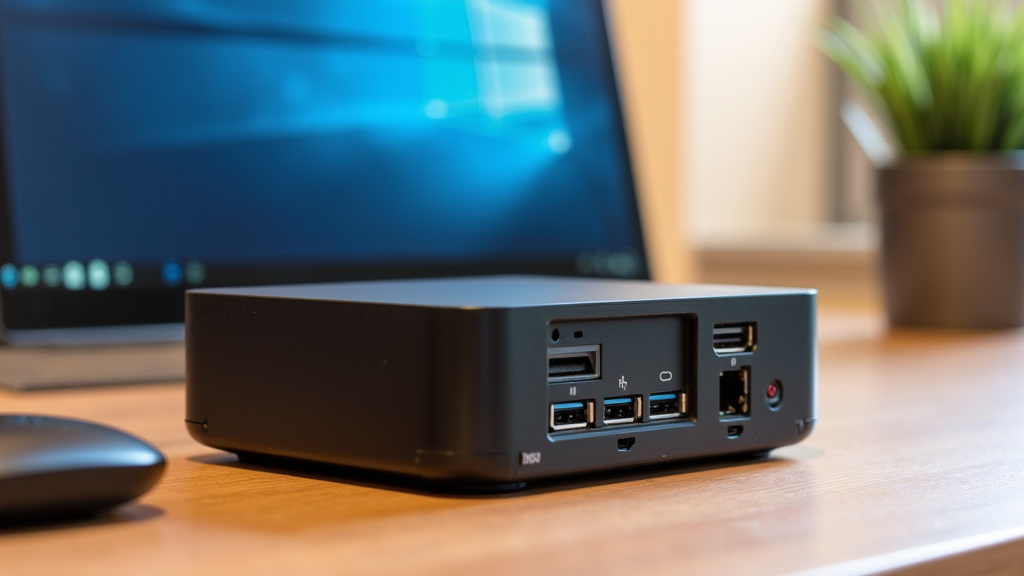
Don’t forget about how you’ll connect your peripherals! Ensure the Mini PC has enough USB ports for your keyboard, mouse, webcam, and any external drives. Multiple display outputs (HDMI, DisplayPort) are also useful if you plan to use more than one monitor, which can also help with multitasking by giving you more screen real estate.
A Quick Checklist for Your Mini PC Multitasking Needs
Before you make a purchase, run through this quick checklist to ensure you’re getting a Mini PC that can keep up with your daily demands:
- Processor: Aim for at least a recent-generation Intel Core i3/i5 or AMD Ryzen 3/5.
- RAM: 8GB is a good starting point; 16GB is better for heavier multitasking.
- Storage: Always choose an SSD for speed.
- Usage: Be realistic about the types of programs you’ll run simultaneously.
- Connectivity: Check that it has enough ports for your accessories.
- Reviews: Look for user reviews that mention multitasking performance.
Conclusion
You’ve learned that a Mini PC can indeed handle multiple programs, but its power lies in its hardware. You’ll want to prioritize a strong processor and sufficient RAM for smooth multitasking. For everyday tasks like browsing and email, a modest setup works well. If you push your PC harder, you’ll need more robust components.
By checking the CPU, RAM, and opting for an SSD, you can choose a Mini PC that meets your specific multitasking needs. Take a moment to assess your typical workflow. Then, use the specifications we’ve outlined to find a Mini PC that won’t slow you down.
Frequently Asked Questions
Will a Mini PC be slow if I have many browser tabs open?
It depends on the Mini PC’s RAM. We found that 8GB of RAM is generally enough for a smooth experience with a moderate number of tabs. If you frequently have dozens of tabs open, consider a Mini PC with 16GB of RAM or more for better performance.
Can a Mini PC run office software and stream video at the same time?
Yes, most Mini PCs with at least an Intel Core i3/Ryzen 3 processor and 8GB of RAM can handle this combination easily. These are considered everyday computing tasks that these compact machines are designed for.
Do I need a special Mini PC for video editing and multitasking?
For demanding tasks like video editing alongside other programs, you’ll need a more powerful Mini PC. We recommend looking for a Mini PC with a higher-end processor (like an Intel Core i7 or AMD Ryzen 7) and at least 16GB of RAM. A dedicated graphics card would also be beneficial if available.
How much faster is an SSD compared to an HDD for multitasking?
We’ve found that an SSD makes a huge difference in how responsive your Mini PC feels. Programs and files load much faster from an SSD. This means quicker application launches and smoother switching between programs, even if other specs are similar.
What’s the minimum RAM for a Mini PC to run two programs without lag?
For just running two basic programs, like a web browser and a word processor, 4GB of RAM might suffice. However, to ensure you don’t experience lag, we recommend a minimum of 8GB of RAM. This provides a much smoother multitasking experience.