Is a Mini PC a Real Computer? A Useful Guide
On this page (3 sections)
Yes, a Mini PC is a real computer. It functions just like a traditional desktop or laptop, allowing you to browse the web, write documents, and even play some games. Think of it as a smaller, more energy-efficient version of what you’re used to.
Many people wonder if these tiny machines pack enough punch for daily tasks. We found that for many common uses, like office work or streaming videos, a Mini PC offers excellent performance. They often use similar processors and storage as larger computers, just in a more compact design.
- Mini PCs are fully functional computers.
- They can handle everyday tasks like browsing and document editing.
- Their small size makes them very versatile.
- Performance is often comparable to larger desktops for common uses.
Let’s break down what makes a Mini PC tick and whether one is the right fit for your needs.
Understanding What Makes a Mini PC a True Computer
So, you’re probably wondering, “Is this tiny box really a computer?” The short answer is yes. A Mini PC is a fully functional computer, just like the desktop tower or laptop you might be used to. It uses the same fundamental components to get things done.
Think of it like this: a Mini PC is like a streamlined, highly efficient sports car compared to a large family sedan. Both get you where you need to go, but one is designed for agility and saving space, while the other prioritizes size and brute force. For most everyday driving, the sports car is perfectly capable, often even more so in certain situations.
The Core Components: What’s Inside That Tiny Box?
At its heart, a Mini PC has all the essential parts that make a computer work. You’ll find a processor (CPU), memory (RAM), storage (like an SSD or HDD), and ports for connecting peripherals. These are the same types of parts you’d find in larger machines.
Processing Power: The Brains of the Operation
Mini PCs often use processors from major manufacturers like Intel or AMD. You might see options ranging from budget-friendly Celerons and Pentiums to more powerful Core i3, i5, i7, or even Ryzen equivalents. The specific chip determines how fast your Mini PC can handle tasks.
For everyday activities like browsing the web, checking email, or working on documents, even a more modest processor can be perfectly adequate. If you plan on more demanding tasks, like video editing or gaming, you’ll want to look for models with higher-end CPUs.
Memory and Storage: Where Your Data Lives and Works
RAM, or Random Access Memory, is your computer’s short-term memory. It’s where programs and data are stored while they’re actively being used. More RAM generally means you can run more applications at once without slowing down. We found that 8GB of RAM is a good starting point for general use.
Storage is where your operating system, programs, and files are permanently kept. Solid State Drives (SSDs) are much faster than traditional Hard Disk Drives (HDDs), leading to quicker boot times and faster application loading. Many Mini PCs come with SSDs, which we highly recommend for a snappier experience.
How Does a Mini PC Compare to a Traditional Desktop?
The biggest difference is, of course, size. Mini PCs are designed to be incredibly compact, often no larger than a thick paperback book. This means they take up very little desk space, or you can even mount them behind a monitor using a VESA mount.
Performance can vary greatly depending on the specific model and its internal components. We found that for common tasks, a well-equipped Mini PC can offer performance that rivals a mid-range desktop. However, very high-end gaming or professional video editing might still be better suited to larger, more powerful desktops with better cooling and more expansion options.
| Feature | Mini PC | Traditional Desktop |
|---|---|---|
| Size | Very Compact | Large Tower/Case |
| Portability | High (easy to move) | Low (designed to stay put) |
| Power Consumption | Generally Lower | Generally Higher |
| Noise Level | Often Quieter | Can be Louder (depending on fans) |
| Upgradeability | Limited (RAM/SSD often possible) | High (many components replaceable/expandable) |
| Performance (General Use) | Excellent | Excellent |
| Performance (Demanding Tasks) | Good to Very Good (model dependent) | Excellent to Superior |
Are Mini PCs Good for Specific Uses?
Many people are finding Mini PCs to be an excellent fit for a variety of needs. Their small footprint and low power draw make them ideal for certain situations where a traditional desktop might be overkill or impractical.
Home Office and General Productivity
For tasks like writing emails, browsing the internet, using office suites (like Microsoft Office or Google Workspace), and managing finances, a Mini PC is more than capable. They boot up quickly, handle multitasking well, and keep your workspace tidy.
Many users find they don’t need a large tower sitting on their desk. A Mini PC, perhaps tucked away or mounted, offers a clean, efficient computing experience for all your daily work. We found that for standard office applications, the performance is generally very good.
Home Entertainment and Media Streaming
Mini PCs are fantastic for setting up a home theater PC (HTPC). They can easily stream content from services like Netflix, Hulu, or YouTube. With the right setup, they can even handle playing high-definition video files smoothly.
Connecting a Mini PC to your TV can turn it into a smart hub for all your entertainment needs. They are quiet, energy-efficient, and take up almost no space behind your television. We found many Mini PCs offer excellent visual output for streaming.
Light Gaming and Creative Work
Now, this is where expectations need to be realistic. While some Mini PCs can handle light gaming, especially older titles or indie games, they are generally not built for playing the latest graphically intensive AAA games at high settings. This is due to their size, which limits cooling capabilities and the types of dedicated graphics cards they can accommodate.
For creative work, the story is similar. Basic photo editing or graphic design on simpler software might be fine. However, heavy video editing, 3D rendering, or complex graphic design projects will likely require a more powerful machine with a dedicated graphics card and more robust cooling, which Mini PCs typically lack.
Energy Efficiency and Cost Considerations
One of the significant advantages of Mini PCs is their low power consumption. Because they use smaller components and often less powerful processors, they draw much less electricity than a full-sized desktop. This can lead to noticeable savings on your electricity bill over time.
We found that many Mini PCs are also competitively priced, especially when you consider their performance for everyday tasks. When you factor in the need for a monitor, keyboard, and mouse (which are usually purchased separately for Mini PCs), the total cost can be quite appealing compared to a pre-built desktop.
What to Look For When Buying a Mini PC
When you’re shopping for a Mini PC, keep these points in mind:
- Processor (CPU): Match it to your intended tasks.
- RAM: Aim for at least 8GB for general use.
- Storage: An SSD is highly recommended for speed.
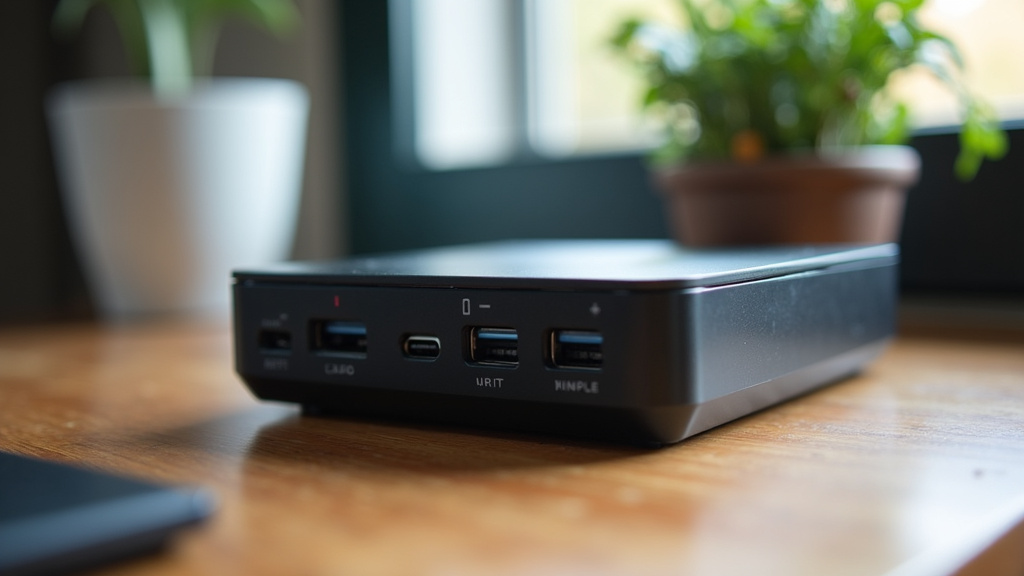
- Ports: Ensure it has the connections you need (USB, HDMI, etc.).
- Operating System: Many come with Windows, but some are barebones.
- Cooling: Check reviews for noise and thermal performance.
Conclusion
So, is a Mini PC a real computer? Absolutely, yes. We’ve shown you that these compact devices pack the same core components as their larger counterparts. They can handle your daily tasks, from browsing and emails to media streaming, with surprising efficiency. While they might not replace a high-end gaming rig, for many users, a Mini PC offers a powerful, space-saving, and energy-efficient computing solution. If you’re looking to declutter your desk and enjoy solid performance for everyday needs, consider exploring the Mini PC options available to find the perfect fit for your setup.
Frequently Asked Questions
Can a Mini PC replace my main desktop computer?
For many everyday tasks like web browsing, office work, and media streaming, a Mini PC can absolutely serve as your primary computer. We found that their performance is often comparable to mid-range desktops for these uses. However, if you perform very demanding tasks like intensive video editing or playing the latest AAA games at high settings, a larger desktop might still be a better choice due to better cooling and expansion options.
Are Mini PCs difficult to set up?
Not at all. Setting up a Mini PC is generally just as simple as setting up a traditional desktop. You’ll typically connect a monitor, keyboard, and mouse, and then power it on. Most Mini PCs come with an operating system pre-installed, making the initial setup straightforward and similar to what you’re likely used to.
Do Mini PCs come with Windows pre-installed?
Many Mini PCs do come with Windows or another operating system pre-installed, which makes them ready to use right out of the box. However, some budget-friendly models are sold as “barebones” systems. This means they don’t include an operating system, giving you the flexibility to install your preferred OS, such as Windows or Linux.
How much power do Mini PCs use compared to regular desktops?
Mini PCs are significantly more energy-efficient than traditional desktop computers. They use smaller components and often less powerful processors, resulting in lower power consumption. This efficiency can lead to noticeable savings on your electricity bills over time and is better for the environment.
Can I upgrade a Mini PC?
Upgradeability on Mini PCs is generally limited compared to full-sized desktops. Typically, you can upgrade the RAM and storage (SSD or HDD). However, you usually cannot upgrade the processor or graphics card, as these are often integrated into the motherboard or are too small for standard desktop components.