What Are the Disadvantages of a Mini PC?
On this page (6 sections)
A mini PC is a compact computer that can lack the power and upgrade options of a larger desktop. While they save space and energy, you might find they have limited storage and can be more difficult to repair. They’re a trade-off between size and capability.
When you’re looking at mini PCs, it’s helpful to understand their potential downsides. You might need to connect external drives for more space, and upgrading internal parts can be tricky. Many users find that for demanding tasks like heavy gaming or video editing, a mini PC might not be the best choice.
- Mini PCs are small but can have limited storage.
- Upgrading components can be more challenging than with standard PCs.
- They may not have the same processing power for intensive tasks.
- Repairing a mini PC can be more complex and costly.
- For advanced needs, a full-sized desktop might be better suited.
Let’s walk through the common drawbacks you might encounter when considering a mini PC, so you can make the most informed choice for your needs.
Exploring the Downsides of Compact Computing
Mini PCs offer a fantastic way to save space. You get a functional computer in a small package. But, like most things, they come with trade-offs. It’s important to understand these before you buy. We found that these compact machines aren’t always the best fit for everyone. Let’s look at the common drawbacks.
Understanding Mini PC Limitations
When you choose a mini PC, you’re prioritizing size and efficiency. This often means you’ll encounter some limitations. We found these are the most common areas where mini PCs fall short.
Limited Internal Storage Capacity
One of the most frequent complaints we hear about mini PCs is their limited storage. Many come with small solid-state drives (SSDs), often around 128GB or 256GB. This might seem like a lot, but modern operating systems and applications take up a significant chunk of space. You could quickly fill up a small drive if you plan to install many programs or store lots of photos and videos.
We found that for users with large media libraries or extensive game collections, this is a major hurdle. You’ll likely need to rely on external storage solutions. This means carrying around an extra device and managing multiple storage locations. It can feel less convenient than having ample space built-in.
Upgradeability Challenges
If you’re someone who likes to upgrade your computer components over time, a mini PC can be frustrating. Unlike a standard desktop tower with plenty of room and standardized slots, mini PCs are tightly packed. This makes accessing and replacing parts much harder.
For instance, upgrading the RAM (memory) might be possible on some models, but it often involves disassembling a good portion of the unit. Replacing the motherboard or CPU is usually impossible. Manufacturers design these PCs for a specific configuration, and they don’t typically allow for much customization down the road. We found this lack of flexibility is a significant disadvantage for tech enthusiasts.
Processing Power and Performance
Mini PCs are not usually built for high-performance computing. They often use mobile-grade processors, which are designed for lower power consumption rather than raw speed. While they’re perfectly capable for everyday tasks like web browsing, email, and word processing, they can struggle with more demanding applications.
Think about tasks like video editing, 3D rendering, or playing the latest graphically intensive video games. Mini PCs often lack the necessary horsepower. They might chug along slowly, take ages to complete tasks, or simply not run the software at all. We found that if your work or hobbies involve pushing your computer to its limits, a mini PC is likely not the right choice for you.
Cooling and Noise Considerations
To keep mini PCs so small, manufacturers have to get creative with cooling. This often means using smaller fans or heat sinks. When these small computers are working hard, they can generate a surprising amount of heat. To combat this, the fans might have to spin faster and louder.
We found that while some mini PCs are remarkably quiet, others can become quite noisy under load. This constant fan noise can be distracting if you work in a quiet environment or if you’re sensitive to background sounds. It’s a trade-off for that compact form factor. Keeping them cool enough without making too much noise is a constant engineering challenge.
Repair and Maintenance Difficulties
When something goes wrong with a mini PC, repairs can be more complicated and expensive. Because the components are so densely packed and often custom-designed, finding replacement parts can be difficult. A technician might need special tools or a lot of time to disassemble and reassemble the unit.
We found that in some cases, it might be more cost-effective to replace the entire mini PC rather than trying to repair a single faulty component. This is especially true for older models where parts are scarce. For users who are not technically inclined, troubleshooting and fixing issues can feel overwhelming.
Connectivity and Port Selection
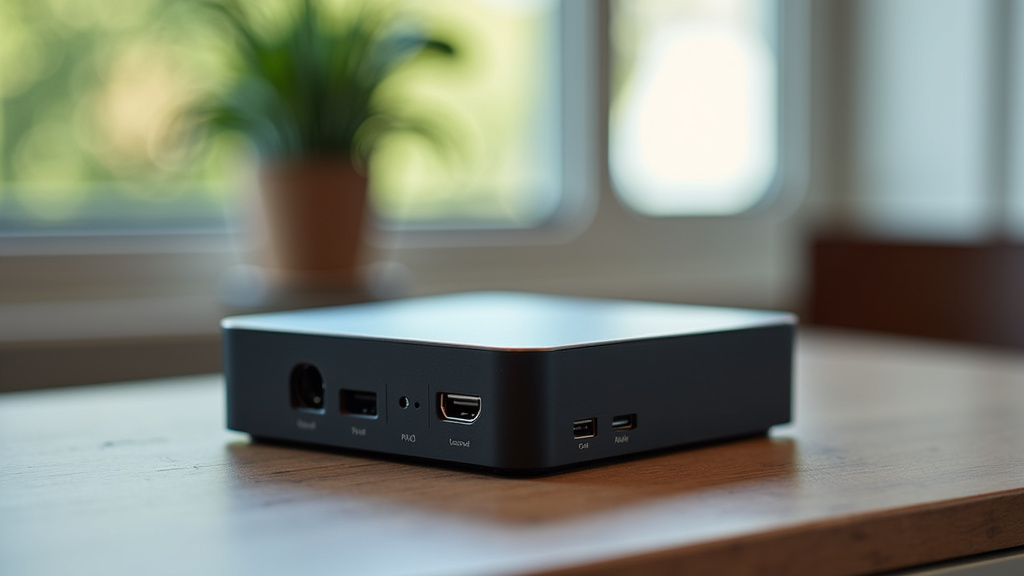
The small size of mini PCs means there’s less room for ports. While most will offer the essentials like USB and HDMI, you might find yourself short on options. Some models might lack certain ports you’re used to, like a full-size SD card reader, an Ethernet port, or multiple display outputs.
You might need to purchase separate USB hubs or adapters to connect all your peripherals. This adds to the overall cost and clutter, somewhat defeating the purpose of a minimalist setup. We found that checking the specific port selection is crucial before buying to ensure it meets your needs.
Cost vs. Performance Ratio
Sometimes, when you compare the price of a mini PC to a standard desktop with similar specifications, the mini PC can seem more expensive. This is because of the specialized engineering and compact components required to make them so small. You’re paying a premium for the form factor.
We found that while the upfront cost might be comparable for basic models, if you need more storage or better performance, the price can climb quickly. You might get more raw computing power for your money if you opt for a traditional desktop tower. It’s a balance between what you want and what you’re willing to pay for that small footprint.
When a Mini PC Might Not Be the Best Fit
Considering the downsides, it’s clear that mini PCs aren’t for everyone. Here’s a quick rundown of situations where you might want to look elsewhere.
For Demanding Users
If you’re a gamer who loves playing the latest titles with high graphics settings, a mini PC will likely disappoint. Similarly, video editors, graphic designers, or anyone working with large, complex files will find a mini PC too slow. Their limited power and cooling simply aren’t designed for these kinds of workloads.
For Those Who Love to Tinker
If you enjoy building computers, upgrading components, or troubleshooting issues yourself, a mini PC’s limited upgradeability and repairability will feel restrictive. You won’t have the same freedom to customize or easily swap parts as you would with a standard tower.
For Budget-Conscious Buyers Needing Maximum Power
While some mini PCs are affordable, you often get more performance per dollar with a traditional desktop. If your primary goal is to get the most processing power or storage for your budget, a larger PC might offer a better value.
For Users Who Need Extensive Connectivity
If you have many peripherals, external drives, or multiple monitors you need to connect, a mini PC might leave you short on ports. You could end up buying extra adapters and hubs, adding to the cost and clutter.
For Long-Term Investment in Upgradability
Mini PCs are often designed for a specific lifespan and configuration. If you plan to upgrade your computer significantly every few years to keep it running optimally, a mini PC is not ideal. A standard desktop offers a much more flexible upgrade path.
Key Takeaways for Your Decision
Before you commit to a mini PC, think about these points. We’ve compiled them to help you make the right choice for your situation.
- Storage Needs: Do you store a lot of files? You’ll likely need external drives.
- Performance Demands: Will you run demanding software or games? A mini PC might struggle.
- Upgrade Plans: Do you plan to upgrade parts later? Mini PCs offer limited options.
- Repair Costs: Are you comfortable with potentially higher repair expenses?
- Port Requirements: Do you need lots of USB ports or specific card readers?
- Noise Tolerance: Can you handle potentially louder fans when the system is working hard?
Conclusion
Mini PCs offer a unique blend of small size and everyday functionality. But as we’ve seen, their compact nature comes with trade-offs. You might face limitations in storage, performance for demanding tasks, and upgradeability. Repairs can also be more challenging and costly. Before you buy, carefully weigh these potential disadvantages against your specific computing needs. If a mini PC seems too restrictive for your planned usage, consider a standard desktop for better power and flexibility. Your best next step is to create a clear list of your must-have features and compare them directly to the specs of any mini PC you’re considering.
Frequently Asked Questions
Can a mini PC handle gaming?
Generally, mini PCs are not ideal for demanding modern gaming. They often lack the powerful graphics cards and processors needed for high-fidelity gaming. You might be able to play older or less graphically intense games, but don’t expect to run the latest AAA titles smoothly.
How much storage do mini PCs typically come with?
Most mini PCs come with limited internal storage, often between 128GB and 512GB. This is usually an SSD, which is fast but can fill up quickly. You will likely need to supplement this with external hard drives or cloud storage for larger media libraries.
Are mini PCs difficult to upgrade?
Yes, upgrading components in a mini PC is often much more difficult than in a standard desktop. Accessing internal parts can require significant disassembly. While RAM upgrades might be possible on some models, replacing the CPU or motherboard is typically not an option.
Can a mini PC be too noisy?
Mini PCs can sometimes become noisy, especially when under heavy load. Their small fans have to work harder to keep the compact components cool. If you need a very quiet workspace, you should research specific models for their noise levels or consider alternatives.
Is a mini PC more expensive than a regular desktop for the same power?
Often, you pay a premium for the compact form factor of a mini PC. For the same level of processing power or storage capacity, a traditional desktop tower might offer better value for your money. The specialized engineering for miniaturization drives up the cost.