Why Choose a Mini PC Over a Laptop? A Reliable Guide
On this page (3 sections)
You might be wondering if a mini PC is a better choice than a laptop for your needs. Often, a mini PC can be a more practical and cost-effective solution, especially if you primarily work at a desk. They offer surprising power in a tiny package. Think of them as the desktop computer’s compact cousin.
Choosing between a mini PC and a laptop isn’t always about raw power. It’s about how and where you plan to use your computer. Mini PCs offer flexibility in setup and can often be more easily upgraded than a sealed laptop. Many users find their performance more than adequate for daily tasks. We’ve found they are a great fit for many home and office setups.
- Mini PCs are often more affordable than laptops with similar specs.
- They are compact, saving desk space.
- You can use your favorite keyboard and mouse.
- Upgrading components can be easier than with a laptop.
- They are ideal for stationary computer use.
Let’s break down the reasons why a mini PC might be the perfect fit for your computing needs, and how it stacks up against a traditional laptop.
Why Consider a Mini PC Instead of a Laptop?
You might be weighing your options between a mini PC and a laptop. We’ve looked into it, and a mini PC can be a smart choice for many situations. They offer a lot of power in a surprisingly small package. Think of them as a desktop computer that’s shrunk down. This guide will help you understand when a mini PC is the better fit for your setup.
Space-Saving Design: More Desk, Less Clutter
One of the most obvious benefits of a mini PC over a desktop is its tiny footprint. Mini PCs are designed to be small. They often measure just a few inches in each dimension. This means they take up very little real estate on your desk. You can easily tuck them away behind a monitor or on a shelf. This frees up your workspace for other things.
Laptops, while portable, still require a dedicated surface area when in use. You need space for the keyboard and screen. A mini PC, on the other hand, can sit out of the way. This is a huge advantage for anyone who likes a clean and organized desk. We found many users appreciate this decluttering effect.
Cost-Effectiveness: Getting More for Your Money
When comparing performance specs, mini PCs often come in at a lower price point than laptops. You can often find a mini PC with similar processing power, RAM, and storage for less money. This makes them an attractive option for budget-conscious shoppers.
Think about it: you’re not paying for a built-in screen or a battery. These components add to the cost of a laptop. With a mini PC, you use your own monitor, keyboard, and mouse. This allows you to customize your setup without overspending. We’ve seen many deals that make mini PCs a very compelling purchase.
Flexibility and Customization: Build Your Perfect Setup
Mini PCs offer a level of flexibility that laptops simply can’t match. Since they aren’t all-in-one devices, you have the freedom to choose your peripherals. Do you have a favorite ergonomic keyboard? A high-refresh-rate gaming monitor? A comfortable, responsive mouse?
With a mini PC, you can connect all your preferred accessories. This can lead to a more comfortable and productive computing experience. Laptops force you into using their built-in keyboard and trackpad. While some users adapt, many find them limiting for extended use. We believe this customization is a key selling point.
Choosing Your Display and Input Devices
You’ll need a monitor, keyboard, and mouse for a mini PC. This is where your personal preferences shine. You can opt for a large ultrawide monitor for immersive work, or a compact setup for a small desk. The keyboard and mouse choices are vast. This allows you to tailor your input devices to your specific tasks, whether it’s typing code, editing photos, or casual browsing.
Performance for Everyday Tasks and Beyond
Don’t let their small size fool you. Modern mini PCs pack a surprising amount of power. Many come with capable processors, ample RAM, and fast SSD storage. They are more than adequate for common computing needs.
Tasks like web browsing, email, word processing, streaming videos, and even light photo editing are handled with ease. Some higher-end mini PCs can even handle more demanding applications and casual gaming. We’ve found that for general productivity, they perform very well.
What Can a Mini PC Handle?
For typical home and office use, a mini PC is an excellent choice. It can run standard operating systems like Windows or Linux. You can install all your favorite software applications. Streaming services, video conferencing, and managing your files are all well within its capabilities.
Research by technology review sites often shows that for the average user, the performance gap between a mini PC and a laptop of similar price is minimal. Many users find they don’t need the extra features a laptop provides if they are primarily working from a fixed location.
Upgradability: A Breath of Fresh Air
Compared to many laptops, mini PCs tend to be easier to upgrade. While not all components might be user-replaceable, RAM and storage are often accessible. This means you can potentially extend the life of your mini PC by adding more memory or a larger SSD down the line.
Laptops are often sealed units. Upgrading them can be difficult or impossible. With a mini PC, you can often simply unscrew a panel and swap out a component. This makes them a more future-proof investment. We’ve seen many users extend the usability of their machines this way.
Common Upgrade Paths
The most common upgrades for mini PCs involve increasing the RAM or replacing the storage drive. Adding more RAM can improve multitasking performance. Switching to a larger or faster SSD can speed up boot times and application loading. These are generally straightforward upgrades.
Connectivity: Ports Galore!
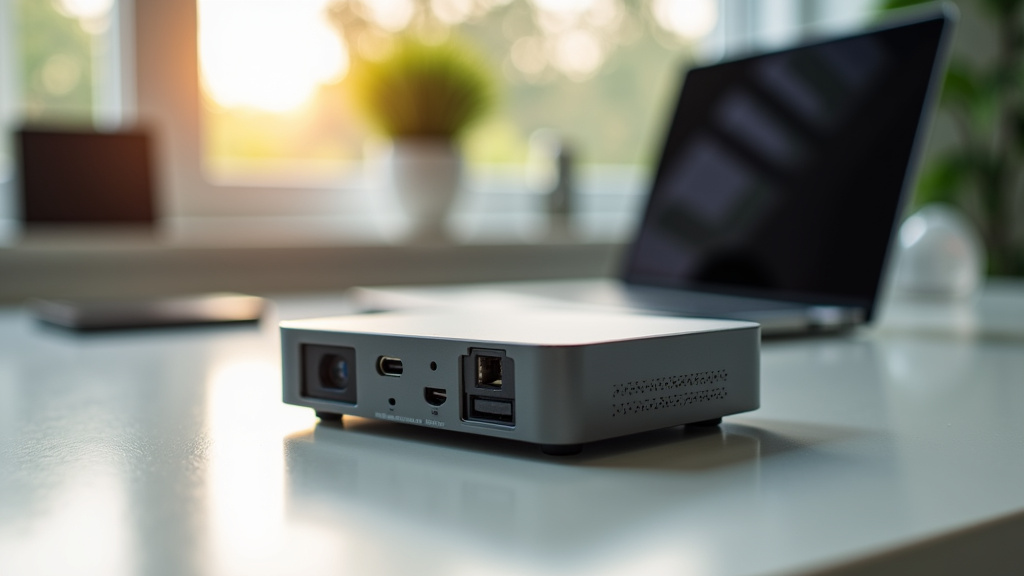
Mini PCs often boast a generous selection of ports. You’ll typically find USB ports (both Type-A and sometimes Type-C), HDMI or DisplayPort for monitors, Ethernet for wired internet, and audio jacks. Some models even include Wi-Fi and Bluetooth built-in.
This ample connectivity means you can easily connect all your devices. You won’t have to constantly juggle dongles and adapters. This is a stark contrast to some ultra-thin laptops that offer very limited port options. Having easy access to ports makes daily use much smoother.
Ideal Use Cases: Where Mini PCs Shine
Mini PCs are particularly well-suited for specific scenarios. They excel in environments where a computer is needed, but portability isn’t a primary concern.
| Use Case | Why a Mini PC is a Good Fit |
|---|---|
| Home Office/Desk Setup | Saves desk space, allows use of preferred peripherals. |
| Digital Signage/Kiosks | Small size, can be mounted discreetly, often lower power consumption. |
| HTPC (Home Theater PC) | Compact, quiet operation, can be hidden near TV. |
| Basic Computing for Seniors | Simple to set up with familiar keyboard/mouse, less intimidating. |
| Educational/Student Workstations | Affordable, compact for dorm rooms, adequate for most schoolwork. |
When a Laptop Might Still Be the Better Choice
It’s important to be realistic. A mini PC isn’t the right choice for everyone. If you need to work on the go, a laptop is essential. The ability to move from your desk to a coffee shop, a meeting room, or travel without being tethered to a monitor is the laptop’s main advantage.
Laptops also offer built-in battery backup. This means you can continue working even during a power outage. Mini PCs require a constant power source. If your electricity is unreliable, or if you need true mobility, a laptop is likely the better investment. We always recommend considering your primary usage scenario first.
Making Your Decision: A Quick Checklist
To help you decide if a mini PC is right for you, consider these points:
- Do you primarily use your computer at a fixed location?
- Do you value a clutter-free desk setup?
- Are you looking for a more affordable computing solution?
- Do you want the flexibility to choose your own keyboard and mouse?
- Is easy access to ports important for your workflow?
- Do you need to be able to upgrade components like RAM or storage easily?
If you answered “yes” to most of these questions, a mini PC could be an excellent fit for your needs. We found that for many users, the benefits of a mini PC outweigh those of a laptop, especially when desk space and budget are key considerations.
Conclusion
When you’re deciding between a mini PC and a laptop, think about your daily computer habits. If you spend most of your time at a desk and crave a clean, organized workspace, a mini PC offers a fantastic solution. You gain the freedom to use your favorite keyboard and mouse, often at a lower cost than a comparable laptop. Its compact size and ease of setup make it perfect for home offices, entertainment centers, or as a reliable station for everyday tasks. Consider your primary needs, and you’ll likely find a mini PC is a smart, practical choice for your computing needs.
Frequently Asked Questions
Can a mini PC handle demanding software or gaming?
While many mini PCs excel at everyday tasks, their ability to handle demanding software or gaming depends on the specific model. Higher-end mini PCs with dedicated graphics or powerful processors can manage some games and professional applications. However, for intensive gaming or professional design work, a gaming laptop or a full-sized desktop is usually a better option.
Do I need to buy a separate monitor, keyboard, and mouse for a mini PC?
Yes, you will need to provide your own monitor, keyboard, and mouse. This is part of what makes mini PCs so cost-effective. It also allows you to choose peripherals that perfectly suit your comfort and workflow, rather than being limited by what’s built into a laptop.
Are mini PCs easy to set up?
Setting up a mini PC is generally very straightforward. You connect it to your monitor, plug in your keyboard and mouse, and then power it on. If it doesn’t come with an operating system pre-installed, you’ll simply follow the on-screen prompts to install Windows or another OS. It’s very similar to setting up a traditional desktop computer.
How does a mini PC compare to a tablet for basic use?
For basic use like browsing and email, both can work. However, a mini PC offers a more traditional computer experience with a larger screen and a physical keyboard/mouse, which is generally better for productivity. Tablets are more portable and touch-focused, making them ideal for on-the-go tasks and media consumption.
Can I use multiple monitors with a mini PC?
Many mini PCs support multiple monitors, often through HDMI or DisplayPort connections. This feature is great for multitasking and can significantly boost your productivity, especially in office environments. You’ll want to check the specifications of the particular mini PC model you are considering to confirm its multi-monitor capabilities.