Is a Mini PC Better Than a Desktop? The Quick Version
On this page (10 sections)
- Mini PC vs. Desktop: Which Computer Fits Your Life?
- Understanding the Size Difference and Its Impact
- Performance: How Much Power Do You Really Need?
- Upgradeability and Longevity: What About the Future?
- Connectivity and Ports: What Can You Plug In?
- Noise and Power Consumption: The Hidden Benefits
- The Cost Factor: What’s Your Budget?
- A Quick Checklist for Your Decision
- Conclusion
- Frequently Asked Questions
Whether a Mini PC is better than a desktop often depends on what you need it for. For most everyday users, a Mini PC can be just as good, if not better, because it saves a lot of space and still offers solid performance for common tasks. You get surprising power in a tiny package.
We found that Mini PCs excel when your priorities are space-saving and quiet operation, while traditional desktops still win for maximum power and upgradeability. Think of it like comparing a zippy scooter to a sturdy truck; both get you places, but they serve different needs. Mini PCs are increasingly powerful.
- Mini PCs are great for saving space and basic tasks.
- Desktops offer more power and easier upgrades.
- The “better” choice depends on your specific needs.
- Consider performance, size, and future needs.
Let’s break down the key differences so you can figure out which one is the right fit for your home or office.
Mini PC vs. Desktop: Which Computer Fits Your Life?
Choosing between a mini PC and a traditional desktop can feel like a big decision. You want a computer that works well without taking over your desk. Many shoppers wonder if a mini PC can really do everything a larger desktop can. We found that for most everyday computer users, a mini PC is a surprisingly capable option. They pack a lot of power into a tiny box. Let’s look at what makes them different. Let’s look at what makes them different to understand their capabilities.
Understanding the Size Difference and Its Impact
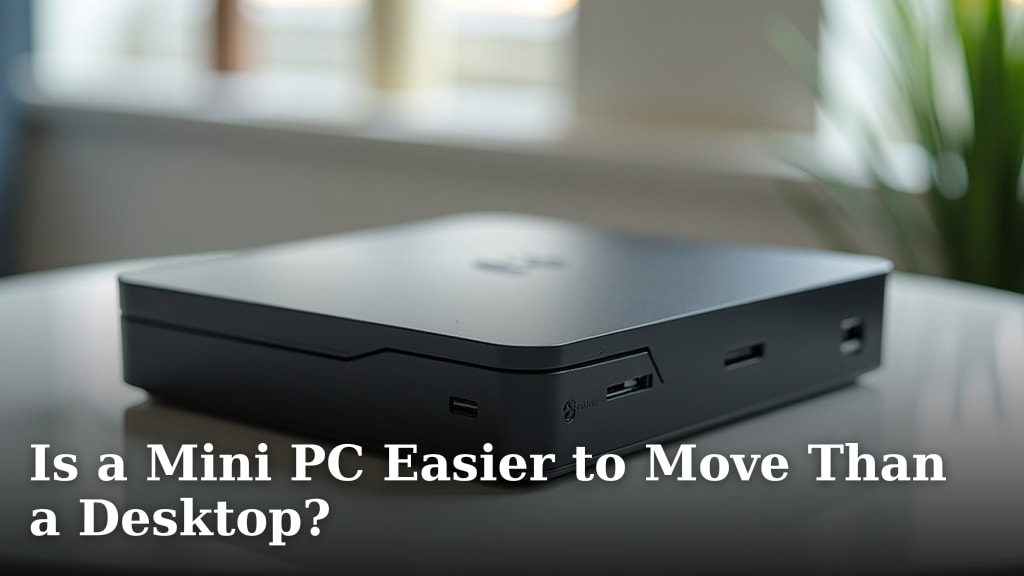
The most obvious difference is size. Mini PCs are designed to be small. Think of a device that fits in the palm of your hand or hides behind your monitor. This small size means they take up very little desk space. This is a huge plus if you have a compact office or a neat living room. Traditional desktops, on the other hand, are much larger. They usually have a tower that sits on your desk or floor. This tower houses all the main computer components. That size difference can be a deciding factor for many people. This small size means they take up very little desk space, a key characteristic of mini PCs.
Space-Saving Benefits of Mini PCs
When we researched user preferences, space-saving was consistently highlighted. A mini PC can free up valuable desk real estate. You can mount it behind a monitor for a truly clean setup. This can make your workspace feel larger and more organized. Even if you just place it on your desk, it’s a fraction of the size of a typical desktop tower. This is ideal for students in dorm rooms or anyone who prefers a minimalist aesthetic. You get a full computer experience without the clutter.
Desktop Footprint and Placement
Desktops have a larger footprint. The main tower needs space, and you also have to consider room for the monitor, keyboard, and mouse. While this might seem like a downside, it also means there’s more room for components inside. This leads to better cooling and potentially more powerful hardware. For some, the larger size is not an issue and simply fits into their existing setup. They might already have a dedicated desk space where a larger tower isn’t a problem.
Performance: How Much Power Do You Really Need?
The performance question is crucial. Many people worry that small means less powerful. In the past, this was often true. However, technology has advanced rapidly. Today’s mini PCs can offer impressive performance for many common tasks. We found that for web browsing, email, streaming video, and office productivity (like word processing and spreadsheets), a mini PC is often more than enough. They can easily handle these daily computing needs.
Everyday Tasks: Mini PC vs. Desktop
For everyday computing, the difference in performance between a mini PC and a standard desktop is often unnoticeable. Both can open applications quickly and multitask effectively. If your main use is browsing the web, checking emails, watching YouTube, or working on documents, a mini PC will serve you very well. You won’t feel like you’re missing out on speed or responsiveness for these activities.
When a Desktop Might Have an Edge
Where desktops tend to shine is in tasks that require maximum processing power. This includes demanding applications like high-end video editing, complex 3D rendering, or running very large datasets for scientific research. If you are a professional gamer or work with extremely resource-intensive software, a desktop often provides more raw power. Desktops also generally have better cooling systems, which are vital for sustained high performance during long, demanding sessions.
Graphics Power: Integrated vs. Dedicated
A key performance difference often lies in graphics. Most mini PCs use integrated graphics. This means the graphics processing is built into the main processor (CPU). This is perfectly fine for everyday tasks and even some light gaming. However, if you need top-tier gaming performance or professional graphics work, you’ll likely want a desktop with a dedicated graphics card (GPU). These cards are separate, powerful components designed specifically for graphics processing. Many desktops allow you to add or upgrade these cards easily.
Upgradeability and Longevity: What About the Future?
When you buy a computer, you often think about how long it will last and if you can upgrade it later. This is another area where desktops generally have an advantage. Desktops are designed with easy access to internal components. This means you can often swap out RAM, hard drives, or even the graphics card. This can extend the life of your computer or allow you to boost its performance over time.
Desktop Upgrade Paths
Upgrading a desktop is relatively straightforward. Most towers have side panels that unscrew easily. Inside, you’ll find clearly labeled slots and connectors for components. If your computer starts to feel slow, you can often add more RAM or install a faster Solid State Drive (SSD). For gamers, upgrading the graphics card is a common path to better performance. This flexibility means a desktop can adapt to your changing needs over several years.
Mini PC Upgrade Limitations
Mini PCs are a different story. Because they are so small, many components are soldered directly onto the motherboard. This means upgrading things like RAM or storage might be difficult or impossible. Some mini PCs do allow for RAM or SSD upgrades, but you have to check the specific model carefully. Generally, what you buy is what you’re stuck with in terms of core performance. This means you need to be sure the mini PC you choose meets your needs for its entire lifespan.
Connectivity and Ports: What Can You Plug In?
You need ports to connect your peripherals like monitors, keyboards, mice, and external drives. Both mini PCs and desktops offer various ports, but the quantity and type can differ. It’s important to check that the computer you choose has enough of the right kind of ports for your setup.
Desktop Port Variety
Desktops, due to their size, usually offer a wide array of ports. You’ll typically find multiple USB ports (both older USB-A and newer USB-C), audio jacks, Ethernet for wired internet, and outputs for your monitor (like HDMI and DisplayPort). Some higher-end desktops may also have card readers or other specialized connections.
Mini PC Port Considerations
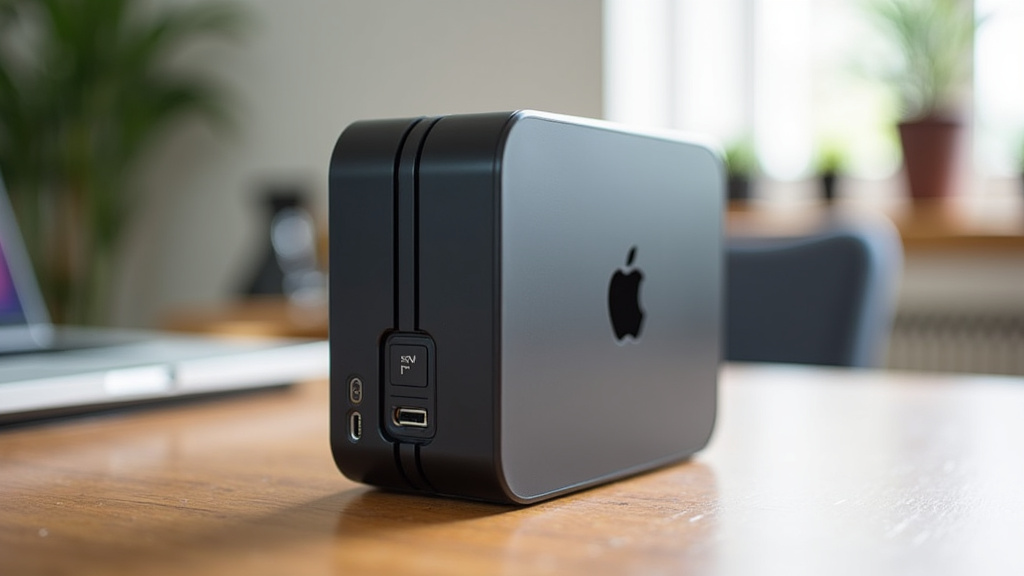
Mini PCs are also equipped with essential ports, but sometimes fewer than a desktop. You’ll almost always get USB ports, HDMI or DisplayPort for monitors, and an Ethernet port. However, you might find fewer USB ports overall. If you have many devices that need connecting, you might need to use a USB hub. Some smaller mini PCs might also lack audio jacks or have them integrated into the video output. Always check the port list for the specific mini PC you’re considering.
Noise and Power Consumption: The Hidden Benefits
Beyond size and performance, there are other practical differences. Noise levels and how much electricity a computer uses can be important factors, especially for home use.
Quiet Operation of Mini PCs
Many mini PCs are designed to be very quiet. Their small fans often run at lower speeds or are more efficiently designed. This makes them ideal for quiet environments like bedrooms or libraries. Some mini PCs are even fanless, running completely silently. We found this is a major draw for users who dislike computer fan noise.
Desktop Noise Levels
Traditional desktops, especially those with more powerful components, often have larger cooling fans. These fans can sometimes be noticeable, especially when the computer is working hard. While many modern desktops are designed to be quieter, the potential for more fan noise is generally higher than with a mini PC. Power consumption can also be higher in desktops, particularly those with powerful graphics cards.
The Cost Factor: What’s Your Budget?
Price is always a consideration. Generally, for similar specifications, mini PCs and desktops can be priced similarly. However, the context of upgrades and performance needs changes the equation. A basic mini PC for everyday tasks might be very affordable. A high-performance desktop built for gaming or professional work will naturally cost more.
Budget-Friendly Mini PCs
You can often find very capable mini PCs for a few hundred dollars. These are excellent for basic computing needs and offer great value considering their small size. If your budget is tight and your needs are simple, a mini PC is a compelling choice.
Desktop Value and Potential Cost
Entry-level desktops can also be affordable. However, if you start looking at desktops with dedicated graphics cards or high-end processors, the price can quickly increase. The advantage of a more expensive desktop is its upgradeability, which can save you money in the long run if you plan to keep it for many years.
A Quick Checklist for Your Decision
To help you decide, consider these points:
- Do you need maximum power for demanding software or games?
- Is saving desk space a top priority for your setup?
- Do you plan to upgrade components in the future?
- How important is quiet operation to your environment?
- What is your overall budget for the computer?
Conclusion
Deciding between a mini PC and a traditional desktop comes down to your personal needs and how you use your computer. We found that for most everyday tasks like browsing, streaming, and general office work, a mini PC offers a fantastic balance of performance and space-saving convenience. They provide a powerful computing experience without clutter. If you demand top-tier power for gaming, professional creative work, or need the flexibility to upgrade components down the line, a desktop remains the stronger choice. Carefully consider your priorities – size, power, and future plans – to make the right selection for your setup.
Frequently Asked Questions
Can a mini PC really replace my desktop for all my needs?
For most everyday users, a mini PC can indeed replace a traditional desktop. They handle web browsing, email, streaming, and office applications with ease. If you require extreme power for high-end gaming or professional video editing, a desktop might still be necessary.
Are mini PCs difficult to set up?
No, mini PCs are generally very easy to set up. They connect to your monitor, keyboard, and mouse much like a desktop. Many users find their simplicity refreshing, often requiring just plugging in the power cable and essential peripherals.
How do mini PCs handle multiple monitors?
Many mini PCs come with multiple display outputs, such as HDMI and DisplayPort, allowing you to connect two or even more monitors. Always check the specifications of the mini PC you are considering to ensure it supports your desired multi-monitor setup.
Is a mini PC a good option for a student?
Absolutely. Their small size makes them perfect for dorm rooms or small study spaces. They offer enough power for research, writing papers, online classes, and entertainment without taking up valuable desk real estate.
What if I want to upgrade my mini PC later?
Upgradeability is limited with most mini PCs. Some models allow for RAM or storage upgrades, but many components are permanently installed. If you anticipate needing to upgrade components frequently, a desktop offers much more flexibility.