Can a Mini PC Be Mounted Behind a Monitor?
On this page (8 sections)
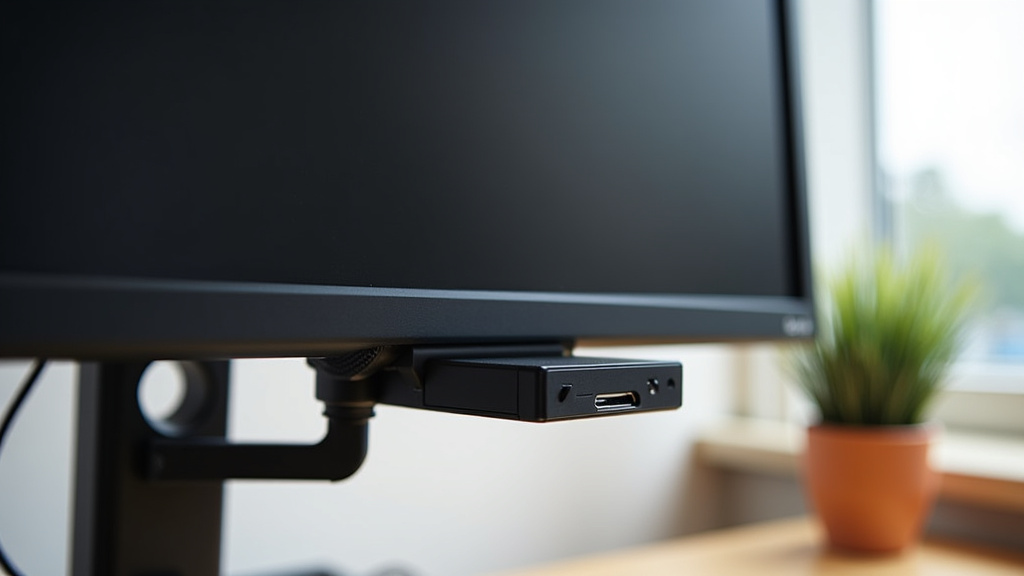
Yes, you can absolutely mount a Mini PC behind a monitor, and it’s a popular space-saving solution for many setups. This mounting method helps declutter your desk by keeping the computer out of sight. It’s a smart way to reclaim valuable desk real estate, especially if you have a smaller workspace or just prefer a cleaner look. Many Mini PCs are designed with this type of mounting in mind. To understand how it fits, learn what is inside a mini PC.
Attaching a Mini PC behind your screen often involves using a VESA mount adapter. This adapter typically screws into the standard VESA mounting holes on the back of your monitor. Then, the Mini PC attaches to the adapter. We found this method to be quite stable and secure for most small form factor computers. It keeps cables tidy too.
- Mini PCs can be mounted behind monitors.
- VESA mount adapters are commonly used.
- This saves desk space and reduces clutter.
- It’s a secure way to position your computer.
Let’s walk through exactly how mounting a Mini PC behind your monitor works and what you should consider.
Mounting Your Mini PC Behind Your Monitor: A Practical Guide
Yes, attaching your Mini PC behind your monitor is a very achievable and smart move. It’s a popular method for keeping your workspace tidy. You’ll be surprised how much desk space you can reclaim. It’s like making your computer disappear without actually getting rid of it.
Understanding VESA Mounting for Mini PCs
The secret sauce to mounting your Mini PC behind a monitor is the VESA mount system. VESA stands for the Video Electronics Standards Association. They created a standard for mounting flat-panel screens and monitors. Most monitors today have VESA mounting holes on the back. These are usually square patterns of screw holes.
What is a VESA Mount Adapter?
A VESA mount adapter is your bridge. It’s a bracket that uses these standard VESA holes. The adapter itself will have a place to attach your Mini PC. Think of it like a shelf or a cage that screws into your monitor. Then, your tiny computer slides or screws into this adapter. Many Mini PCs are designed with this specific purpose in mind, often including the necessary hardware.
How the Mounting Process Works
Mounting is generally a straightforward process. You’ll typically screw the VESA adapter into the back of your monitor. These are the same holes you’d use if you were mounting the monitor to a wall or a different stand. Once the adapter is secure, you attach your Mini PC to it. This might involve sliding it into a clamp-like holder or screwing it directly into the adapter plate.
Step-by-Step Mounting Overview
Here’s a general idea of how it goes:
- Check Compatibility: Ensure your monitor has VESA mounting holes. Check the monitor’s manual or look on the back for the screw pattern. Also, confirm your Mini PC can be mounted.
- Gather Your Mount: You’ll need a VESA mount adapter specifically designed for Mini PCs or a universal adjustable mount.
- Secure the Adapter: Using the correct screws, attach the VESA adapter to the back of your monitor. Make sure it’s snug and stable.
- Attach the Mini PC: Fasten your Mini PC to the adapter. This might involve clips, straps, or screws.
- Manage Cables: Connect your monitor, power, and peripherals. Use cable ties or sleeves to keep everything neat behind the monitor.
Why Mount Your Mini PC Behind Your Monitor?
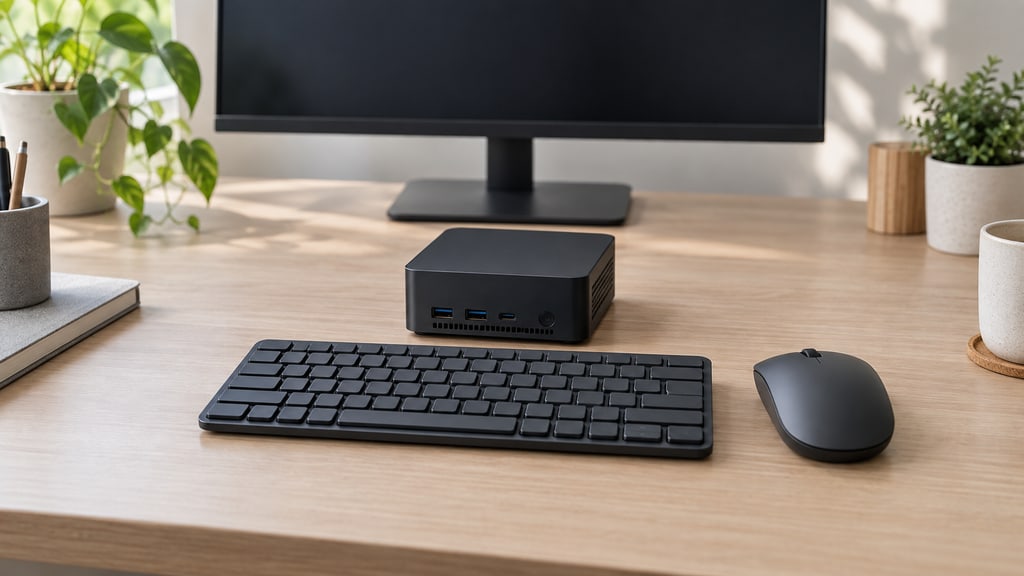
The primary driver for this setup is decluttering your desk. A Mini PC, by its nature, is small. But even a small box can take up precious surface area. Mounting it out of sight creates a clean, minimalist look. It’s especially beneficial if you work in a small office or have limited desk space. You gain back that space for other things, like a notepad, your coffee mug, or just more room to spread out.
Benefits Beyond Space Saving
Beyond just freeing up desk real estate, there are other advantages. It can help protect your Mini PC. Keeping it off the desk reduces the risk of accidental spills or bumps. It can also help with airflow. Depending on the mount and the PC’s ventilation, mounting it behind the monitor might improve cooling by allowing air to circulate more freely. This is something we found is often overlooked but is quite important for longevity.
Choosing the Right VESA Mount for Your Mini PC
Not all VESA mounts are created equal, and selecting the right one is key to a successful setup. You’ll want a mount that is both sturdy and compatible with your specific Mini PC and monitor.
Types of Mini PC Mounts
You’ll find a few main types of mounts designed for this purpose:
- VESA Plate Mounts: These are flat plates that screw into the VESA holes. Your Mini PC then attaches to this plate, often with straps or screws.
- Arm Mounts with PC Holders: Some monitor arms have an additional attachment point or bracket specifically for holding a Mini PC. This offers more flexibility in positioning both the monitor and the PC.
- Dedicated Mini PC Holders: These are often custom-designed to fit the shape of specific Mini PC models. They can be very secure but might be less universal.
What to Look For in a Mount
When you’re shopping, keep these points in mind:
- Weight Capacity: Ensure the mount can safely hold the weight of your Mini PC.
- VESA Compatibility: Double-check that the mount fits your monitor’s VESA pattern (e.g., 75x75mm, 100x100mm).
- Adjustability: Some mounts allow you to slide or tilt the PC slightly, which can help with cable routing or airflow.
- Build Quality: Look for sturdy materials like metal that feel robust and secure.
We found that models made from steel tend to offer the best durability. For instance, a steel mount designed for a 100x100mm VESA pattern will likely support most Mini PCs securely.
Ensuring Stability and Security
When you mount electronics behind your screen, stability is a top concern. You don’t want your computer hanging precariously. Fortunately, VESA mounting standards are designed for security.
The Role of VESA Standards
The VESA mounting system is an industry standard for a reason. It’s engineered to provide a strong, reliable connection. When you use a VESA adapter correctly, it distributes the weight of the Mini PC across the monitor’s sturdy mounting points. This is much more secure than, say, using adhesive strips.
Tips for a Secure Installation
Here are a few tips we’ve found helpful:
- Use the Right Screws: Most mounts come with a variety of screws. Ensure you use the ones that fit your monitor’s VESA holes perfectly.
- Tighten Firmly: Screw everything in snugly, but don’t overtighten, as you could damage the monitor or the mount.
- Test the Fit: After mounting, gently wiggle the Mini PC and the mount to ensure there’s no looseness.
- Consider Cable Management: Properly managed cables prevent strain on the connections and keep the setup tidy.
Cable Management: The Unsung Hero of a Clean Setup
Mounting your Mini PC is only half the battle for a truly clean workspace. The other half is managing the cables. A tangled mess of wires can quickly undo the sleekness you’ve achieved.
Strategies for Tidy Cables
There are several effective ways to keep your cables in order:
- Cable Sleeves: These are fabric or plastic tubes that bundle multiple cables together. They create one neat “snake” instead of many individual wires.
- Velcro Straps: Simple and reusable, Velcro straps are great for securing cables to the monitor stand or the mount itself.
- Adhesive Cable Clips: These small clips stick to the back of your desk or monitor arm and guide cables along a specific path.
- Zip Ties: A more permanent solution, zip ties can securely bundle cables together. Be careful not to overtighten.
We found that a combination of these often works best. For instance, using a cable sleeve for power and display cables, then using Velcro straps to attach the bundle to the monitor arm.
Thinking About Airflow and Heat
While mounting behind the monitor is great for space, it’s important to think about how the Mini PC will stay cool. Most Mini PCs are designed to run efficiently and don’t generate excessive heat. However, blocking ventilation ports can cause issues. Always ensure the mount doesn’t completely obstruct the air vents on your Mini PC.
Many Mini PC manufacturers provide guidelines on required clearance for optimal cooling. For example, studies on thermal management in small form factor computers often recommend at least an inch of clearance around ventilation areas (IEEE Spectrum). If the mount sits too flush, consider adjusting it or using spacers to improve airflow.
What You’ll Need: A Quick Checklist
Here’s a handy checklist to make sure you have everything before you start:
- Mini PC: Your computer, of course!
- Monitor: Ensure it has VESA mounting holes.
- VESA Mount Adapter: The crucial piece connecting your PC to the monitor.
- Screwdriver Set: For attaching the mount and PC.
- Cable Management Supplies: Sleeves, ties, or clips for tidiness.
- Patience (and maybe a friend): For a smooth installation process.
Conclusion
You’ve learned that mounting a Mini PC behind your monitor is a smart, achievable goal. It’s an excellent way to free up desk space and create a cleaner workspace. By using a VESA mount adapter, you can securely attach your PC to your monitor, often with minimal effort. Remember to check compatibility, choose a sturdy mount, and manage your cables effectively for the best results. Now, take a moment to assess your current setup and see where a mounted Mini PC could make a difference in your daily workflow.
Frequently Asked Questions
Will mounting my Mini PC behind the monitor affect its cooling?
Generally, most Mini PCs are designed for efficient operation and don’t generate excessive heat. However, you must ensure that the mount doesn’t block the PC’s ventilation ports. Keeping at least an inch of clearance around vents is often recommended for optimal airflow and to prevent overheating.
What if my monitor doesn’t have VESA mounting holes?
If your monitor lacks built-in VESA holes, you might need to look for monitor arms that come with their own clamping mechanism for securing a Mini PC. Some universal monitor stands also offer attachments for small form factor computers, but a direct VESA connection is the most secure method.
How much weight can a VESA mount safely hold?
The weight capacity varies by mount, but most standard VESA mounts designed for monitors can easily support the weight of a typical Mini PC. Always check the mount’s specifications for its maximum weight limit to ensure it’s suitable for your specific Mini PC model.
Do I need special tools to mount a Mini PC?
Typically, you’ll only need a standard Phillips head screwdriver. Many VESA mount kits include all the necessary screws for attaching the mount to the monitor and the PC to the mount. Check the product details of your chosen mount to confirm what’s included.
Can I mount other small devices behind my monitor too?
Yes, absolutely. The VESA mounting system is versatile. With the right adapter or bracket, you can mount other small devices like network switches, docking stations, or even some routers behind your monitor, further enhancing your clutter-free setup.