Does Apple Make a Keyboard with a Touchpad?
Apple does not make a Mac keyboard with an integrated touchpad. You can pair a separate Bluetooth keyboard and trackpad, or choose a third-party keyboard with a built-in touchpad.
On this page (7 sections)
- Does Apple make a keyboard with a touchpad?
- What are the alternatives for an Apple computer?
- Which connection should you choose?
- Which keyboards with touchpads are worth considering?
- Should you choose a compact or full-size keyboard?
- What should you check before buying?
- Which Apple keyboard with touchpad alternative should you pick?
Apple does not make a Mac keyboard with an integrated touchpad. If you want to type and control the cursor from one device, choose a compatible third-party keyboard with a built-in touchpad, or pair a separate keyboard with Apple's Magic Trackpad.
The right choice depends on how you use your Mac. A combined keyboard and touchpad keeps both controls together, while separate devices let you place the pointing surface where it feels comfortable.
Does Apple make a keyboard with a touchpad?
No, Apple does not offer a Mac keyboard with a built-in touchpad. Apple's keyboard and trackpad are separate devices, so you can use both without buying an all-in-one keyboard.
That distinction matters if you want a compact desk setup or plan to control a Mac connected to a TV. Third-party keyboards combine typing and cursor control, but their Mac compatibility, connection options, and touchpad features vary.
For broader keyboard choices, start with our keyboards and mice buying guide. If a combined device is your priority, compare options in our guide to the best keyboard with touchpad.
What are the alternatives for an Apple computer?
You can pair a separate trackpad with a keyboard, or use a compatible third-party keyboard with an integrated touchpad. Pick based on whether you value a single device, flexible placement, or a familiar Apple setup.
A separate trackpad can sit beside any compatible keyboard and gives you control over where the pointing surface goes. A keyboard with an integrated pad takes up less space, but its pad position is fixed and the keyboard's support for Mac should be checked before buying.
Will a third-party keyboard with touchpad work with a Mac?
It can, if the keyboard supports your Mac and its connection method works with your computer. Check compatibility for the specific model, not just the fact that it connects wirelessly.
Some keyboards use Bluetooth, while others need a USB receiver. If your Mac doesn't have a suitable USB port, you may need an adapter or hub for a receiver-based keyboard.
Which connection should you choose?
Choose Bluetooth if you want a direct wireless connection and the keyboard supports your Mac. A USB receiver is another option, but it needs an available compatible port.
Bluetooth can keep a USB port free. Before choosing it, confirm the keyboard's supported operating systems and pairing steps, since a wireless connection by itself doesn't guarantee that every key or touchpad function will work.
A receiver can be useful when you prefer a plug-in connection. If you already own a wired keyboard, our guide to a Bluetooth adapter for a wired keyboard explains the factors to consider before adding wireless support.
Which keyboards with touchpads are worth considering?
A TV-focused wireless keyboard, a compact mini keyboard, or a standard keyboard and mouse combo suit different setups. Choose a touchpad model when you want cursor control on the keyboard itself; the combo below includes a separate mouse instead.
The Logitech K400 Plus is designed for PC-to-TV entertainment and includes a large touchpad and a USB Unifying receiver. Logitech lists support for Windows, Android, and Chrome OS, so check Mac compatibility for your setup before choosing it.
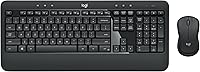
The Logitech MK270 is a full-size keyboard and mouse combo with quiet, low-profile keys, a number pad, and a USB receiver. Its stated operating system compatibility is Windows, so it isn't the best fit if you specifically need documented Mac support.
The Fosmon mini keyboard includes a touchpad, Bluetooth 5.2, and a 2.4 GHz USB receiver. Its compatibility details include Mac OS X 10.7 or later, but confirm that your Mac and the features you need are supported before ordering.
Should you choose a compact or full-size keyboard?
Choose compact if saving space matters; choose full-size if you want a number pad and standard layout. A touchpad keyboard may also make sense when you use a computer from across the room.
If you want illuminated keys too, compare backlit keyboards with touchpads.
Compact options are easier to carry and can suit a small desk, TV console, or travel setup. For more choices, see our guides to best compact keyboards with touchpads and best mini wireless keyboards with touchpads.
A full-size keyboard gives you more room for keys and often includes a number pad, but it takes up more desk space. If you want a mouse and keyboard as separate controls, a combo may be a better match than an integrated touchpad.
What should you check before buying?
Check Mac compatibility, connection type, keyboard layout, and touchpad placement. These details help you avoid buying a device that connects but doesn't support the controls you expect.
Confirm whether the keyboard supports your macOS version and whether it connects by Bluetooth or a receiver. If it needs a receiver, check your available ports and any adapter needs.
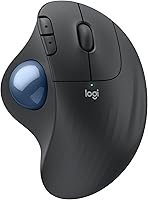
Think about how you use the pointer, too. A small touchpad can be convenient for occasional navigation, while frequent cursor work may suit a separate pointing device such as the Kensington Expert Mouse trackball.
If the computer is a small desktop, the keyboard is only one part of the setup. Our guide to what makes a computer a mini PC explains how these compact computers fit into different workspaces.
Which Apple keyboard with touchpad alternative should you pick?
For an Apple computer, choose a separate trackpad if you want Apple's own pointing device, or a third-party touchpad keyboard if you want one combined unit. Check the specific keyboard's Mac support and connection method before you decide.
Choose the Fosmon if you want a compact keyboard with a touchpad and Bluetooth or receiver options, after confirming compatibility. Choose the Logitech K400 Plus for PC-to-TV use only if its operating system support fits your setup; choose the MK270 if you prefer a full-size keyboard and separate mouse.
For more models, compare the best Bluetooth keyboards with touchpads. The main decision is whether you want a single device with a built-in pad or separate controls you can position independently.
Frequently asked questions
Does Apple sell a keyboard with a built-in trackpad?
Apple does not sell a Mac keyboard with a built-in trackpad. Apple offers a separate Magic Trackpad, which you can use alongside a keyboard.
If you want one device with both controls, look at third-party keyboards and check the maker's compatibility details for your Mac.
Can I use a non-Apple keyboard with a Mac?
Yes, many third-party keyboards can connect to a Mac, but features and setup depend on the keyboard. Check whether it uses Bluetooth or a USB receiver, whether your Mac has the ports you need, and whether its operating system is supported.
Some keys may work differently from Apple keyboards.
Is a keyboard with a touchpad the same as a Magic Trackpad?
No. A keyboard with a touchpad combines typing and cursor control in one device, while Apple's Magic Trackpad is a separate pointing device.
A built-in pad saves desk space and keeps controls together; a separate trackpad gives you more freedom to position it.
What should I check before buying a keyboard with a touchpad for Mac?
Check the keyboard's stated Mac or macOS compatibility, connection type, and whether you can use its receiver or Bluetooth connection with your computer. Also consider the pad's position and size, keyboard layout, and whether you want a full-size or compact device.
Compatibility can vary by model.