9 Best Mini PC Ryzen 5 (October 2026)
The best Ryzen 5 mini PCs include the Getorli Mini PC AMD Ryzen 5 3500U for a ready-to-use home office, the GMKtec M6 Ultra Gaming Mini PC Ryzen for heavier multitasking, and the Beelink SER5 Mini PC for balanced everyday performance.
On this page (3 sections)
The best mini PC Ryzen 5 pick for a demanding desk setup is the GMKtec M6 Ultra, with a 6-core Ryzen 5 7640HS, 32GB DDR5 memory and a 1TB SSD. For everyday office work, the Beelink SER5 offers a 6-core Ryzen 5 5500U and 16GB memory, while several Ryzen 5 3500U options cost less and include useful display connections.
For lower-priced compact systems, compare mini PCs under 300 dollars.
Ryzen 5 mini PCs vary widely. The processor family includes older 4-core options and newer 6-core models, so compare the full chip name and the included memory and storage before deciding.
If you want to compare other AMD processor tiers, see our best AMD mini PC guide. For a step-by-step decision process, start with how to choose a mini PC.
Our picks at a glance
-
1
 Best for a ready-to-use home office
Getorli Mini PC AMD Ryzen 5 3500U
9.6/10 our score
See it on Amazon -
2
 Best for heavier multitasking
GMKtec M6 Ultra Gaming Mini PC Ryzen
9.5/10 our score
See it on Amazon -
3
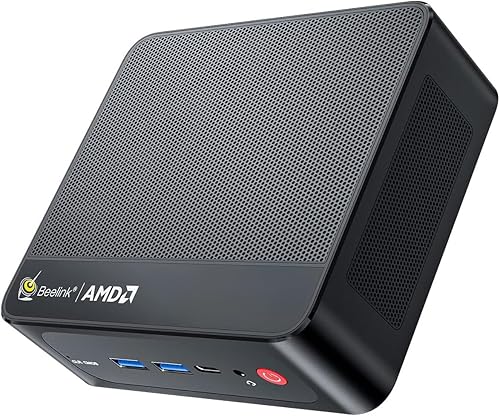
- 4
 Check it
BOSGAME E5 Plus Mini PC Ryzen 5400U
Best for expandable multi-screen work - 5
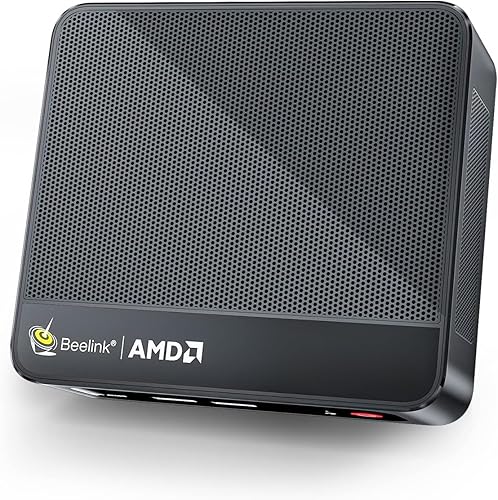 Best for dual-screen office tasksCheck it
 - 6
 Check it
BOSGAME Mini PC AMD Ryzen 5 3501U
Best for a small three-screen desk - 7
 Check it
GMKtec Mini PC Ryzen 5 3500U 16GB
Best for three-screen 3500U setups - 8
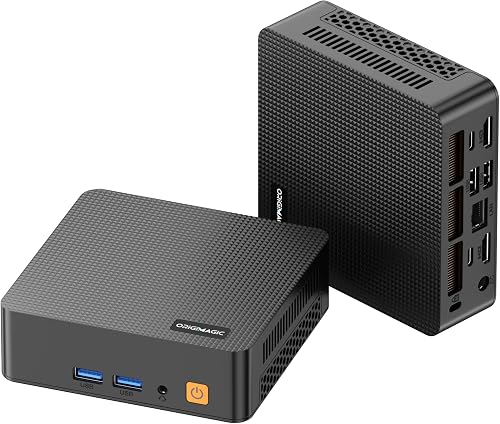 Best for upgrade-ready home useCheck it
 - 9
 Best for compact basic computingCheck it
Which Ryzen 5 mini PC fits your workload?
The GMKtec M6 Ultra has the most capable processor and largest memory configuration in this group, while the 5500U models give everyday users a balanced alternative. Pick based on your workload and screen setup, not the Ryzen 5 label alone.
If you need more memory and a higher processor tier, compare 32GB Ryzen 7 mini PCs.
Getorli Mini PC AMD Ryzen 5 3500U: Best for a ready-to-use home office
- Ryzen 5 3500U, 4 cores and 8 threads
- 16GB DDR4 memory
- 512GB NVMe SSD
- Dual HDMI with 4K support
A practical starting configuration for daily computing, browsing and streaming, with 16GB memory and a 512GB NVMe SSD included.
Pros
- 16GB memory and 512GB SSD included
- Two HDMI ports support 4K displays
- Wi-Fi 6 and Bluetooth 5.3
Cons
- 4-core processor is less suited to heavier workloads than newer 6-core picks
- Memory is DDR4
The Getorli is a straightforward choice for a home office that needs a complete memory and storage setup from the start. Its Ryzen 5 3500U has 4 cores and 8 threads, and the system includes 16GB of DDR4 memory plus a 512GB NVMe SSD.
That combination can handle everyday computing, web browsing and media streaming according to Getorli. Dual HDMI ports support one or two 4K screens, and the port mix includes USB-A and USB-C connections for common desk gear.
Wi-Fi 6 and Bluetooth 5.3 cover wireless networking and peripherals. Getorli also states that the memory can be expanded up to 32GB.
The main tradeoff is the processor generation: this is a 4-core chip, while the two Beelink 5500U picks and GMKtec M6 Ultra offer 6 cores. Choose the Getorli when the included 16GB memory, 512GB SSD and dual HDMI matter more than having a newer 6-core processor.
Best for a ready-to-use home office, especially when you want to avoid an immediate memory or storage upgrade.
GMKtec M6 Ultra Gaming Mini PC Ryzen: Best for heavier multitasking
- Ryzen 5 7640HS, 6 cores and 12 threads
- 32GB DDR5 memory
- 1TB SSD
- Three display outputs
Its newer 6-core processor, 32GB of DDR5 memory and 1TB SSD suit demanding multitasking and a multi-display desk.
Pros
- 6 cores and 12 threads
- 32GB DDR5 and 1TB SSD
- HDMI, DisplayPort and USB4 outputs
Cons
- More capability than basic office tasks may need
- Uses Wi-Fi 6 rather than a newer Wi-Fi standard
The GMKtec M6 Ultra is the performance-focused Ryzen 5 option here. Its Ryzen 5 7640HS has 6 cores and 12 threads, paired with 32GB DDR5 memory and a 1TB SSD.
That larger starting configuration suits workloads with multiple apps, many browser tabs or local files. It also offers HDMI, DisplayPort and USB4 video output for up to three simultaneous displays, with the USB4 port supporting up to 8K at 60Hz according to GMKtec.
The other useful distinction is connectivity. The M6 Ultra includes dual 2.5GbE LAN ports, Wi-Fi 6 and Bluetooth 5.2, which gives it more wired network options than the office-focused 3500U models.
This is more computer than basic browsing and document editing requires. Choose it if you need the 6-core chip, 32GB memory, larger SSD or three-display support; compare the SER5 if your routine is lighter and 16GB is enough.
Best for heavier multitasking, with ample memory and storage included.
Beelink SER5 Mini PC: Best for balanced everyday performance
- Ryzen 5 5500U, 6 cores and 12 threads
- 16GB DDR4 memory
- 480GB NVMe SSD
- HDMI and DisplayPort
The six-core Ryzen 5 5500U and 16GB memory offer a balanced configuration for office tasks and everyday multitasking.
Pros
- 6 cores and 12 threads
- 16GB memory and NVMe storage
- HDMI and DisplayPort for two monitors
Cons
- 480GB SSD is smaller than the 1TB option
- Memory is DDR4
The Beelink SER5 balances a 6-core processor with a more moderate 16GB memory and 480GB SSD configuration. Its Ryzen 5 5500U runs at up to 4.0GHz and supports 12 threads.
This setup fits a home office with office apps, video calls and regular multitasking. HDMI and DisplayPort support two monitors, while three USB 3.2 Gen 2 ports and a 2.5GbE network port offer useful wired connections.
Beelink says the system can be upgraded to 64GB of DDR4 memory and supports an NVMe SSD up to 2TB, plus a 2.5-inch SATA drive. Those upgrade paths help if your app or file needs grow later.
Its included 480GB SSD is smaller than the 1TB drive in the M6 Ultra, and memory is DDR4 rather than DDR5. Consider the M6 Ultra for heavier work, or this SER5 for a six-core processor with a simpler everyday setup.
Best for balanced everyday performance, especially with two monitors.
BOSGAME E5 Plus Mini PC Ryzen 5400U: Best for expandable multi-screen work
- Ryzen 5400U, 4 cores and 8 threads
- 8GB DDR4 memory
- 256GB SATA SSD
- Three display outputs
Three display outputs and upgradeable memory make this a flexible base for a desk with multiple screens.
Pros
- HDMI, DisplayPort and USB-C support three displays
- Two 2.5GbE LAN ports
- Memory supports expansion up to 64GB
Cons
- Starts with 8GB memory
- Included 256GB SATA SSD is modest
The BOSGAME E5 Plus stands out for multi-screen output and memory expansion. It has a Ryzen 5400U with 4 cores and 8 threads, 8GB of DDR4 memory, and a 256GB SATA SSD.
HDMI, DisplayPort and USB-C can drive three displays at up to 4K at 60Hz, according to BOSGAME. Two 2.5GbE LAN ports also make it worth considering if your workspace needs more than one wired network connection.
The modest starting memory and storage deserve attention. BOSGAME says the two SODIMM slots support up to 64GB, and the system includes an additional M.2 NVMe slot alongside its 256GB SATA drive.
Choose this model if three screens and expansion options matter more than a larger included SSD. For a system ready for heavier multitasking without upgrades, the Beelink SER5 includes 16GB, or the M6 Ultra includes 32GB.
Best for expandable multi-screen work, especially when dual wired LAN is useful.
Beelink Mini PC: Best for dual-screen office tasks
- Ryzen 5 5500U, 6 cores and 12 threads
- 16GB DDR4 memory
- 480GB NVMe SSD
- Two-screen support
This Beelink pairs a six-core Ryzen 5 5500U with 16GB memory and dual-screen support for a home office.
Pros
- 6 cores and 12 threads
- 16GB memory and 480GB NVMe SSD
- HDMI and USB-C display connections
Cons
- Wi-Fi is 802.11ac
- Some extra-feature details conflict with the Ryzen 5 specifications
This Beelink mini PC uses the same Ryzen 5 5500U class as the SER5, with 6 cores, 12 threads and a maximum speed of 4.0GHz. It pairs that processor with 16GB DDR4 memory and a 480GB NVMe SSD.
The stated connections include HDMI and USB-C with video support, so it can connect two screens. It also has three USB 3.2 ports, one USB 2.0 port, Wi-Fi 802.11ac, Bluetooth and a 2.5G LAN connection.
Its practical fit is close to the SER5: a six-core chip and 16GB memory for office work and multitasking. The SER5 provides more detailed expansion information, including support for an additional 2.5-inch drive, so compare that model if upgrade flexibility is a priority.
One extra-feature field associated with this model conflicts with the Ryzen 5 configuration, so focus on the stated 5500U processor and the specific connections above. Best for dual-screen office tasks when the included 16GB and 480GB setup fits your needs.
BOSGAME Mini PC AMD Ryzen 5 3501U: Best for a small three-screen desk
- Ryzen 5 3501U, 4 cores and 8 threads
- 8GB DDR4 memory
- 256GB SSD
- Three display outputs
Two HDMI ports and USB-C display output offer room for three screens, while the compact size suits a crowded desk.
Pros
- Supports up to three displays
- Memory can be expanded up to 32GB
- Compact 5 x 4.45 x 1.61 in body
Cons
- Starts with 8GB memory
- 256GB SSD leaves less room for local files
The BOSGAME E2 Air offers a small body and three-display support at its stated configuration. Its Ryzen 5 3501U has 4 cores and 8 threads, with 8GB DDR4 memory and a 256GB SSD.
Two HDMI 2.0 ports and a USB-C display connection support up to three displays, according to BOSGAME. That makes it a practical match for spreadsheets, accounting work or side-by-side windows when you already have the screens.
Memory can be expanded up to 32GB through two SODIMM slots. Wi-Fi 5, Bluetooth 5.0 and Gigabit Ethernet cover common network needs, while the system supports Windows 11 Pro and Ubuntu.
The 8GB starting memory is the main limitation for heavier multitasking. Choose it for a compact multi-screen desk and plan an upgrade if your typical workload uses many apps at once.
Best for a small three-screen desk, with memory expansion available.
GMKtec Mini PC Ryzen 5 3500U 16GB: Best for three-screen 3500U setups
- Ryzen 5 3500U, 4 cores and 8 threads
- 16GB DDR4 memory
- 512GB PCIe SSD
- Three 4K display outputs
The 16GB and 512GB configuration provides room for daily applications, and its three video outputs suit a multi-screen workflow.
Pros
- 16GB memory and 512GB SSD included
- Three display outputs
- 2.5GbE wired networking
Cons
- Older 4-core Ryzen 5 3500U
- Wi-Fi 5
GMKtec's NucBox G10 pairs the older Ryzen 5 3500U with 16GB of dual-channel DDR4 memory and a 512GB PCIe SSD. That is a useful starting configuration for everyday office work and light gaming, according to GMKtec.
The port selection is its stronger point. HDMI, DisplayPort and USB-C support three 4K displays, while a 2.5GbE LAN port offers faster wired networking than Gigabit Ethernet.
GMKtec says memory can be upgraded to 32GB and that the two M.2 slots support additional storage. Wi-Fi 5 and Bluetooth 5.2 handle wireless connections.
This uses a 4-core chip, so the six-core 5500U and 7640HS options are better fits for more demanding parallel workloads. Choose this G10 when you want 16GB memory and triple-display output in a Ryzen 5 3500U system.
Best for three-screen 3500U setups, with 16GB memory included.
origimagic C5 Mini PC: Best for upgrade-ready home use
- Ryzen 5 3500U, 4 cores and 8 threads
- 8GB DDR4 memory
- 256GB NVMe SSD
- Three 4K display outputs
This compact option starts with 8GB memory and 256GB of NVMe storage, with stated memory and storage expansion options.
Pros
- Supports three 4K displays
- Memory can expand to 32GB
- Extra M.2 2242 slot
Cons
- 8GB memory may limit heavier multitasking
- Wi-Fi 5
The origimagic C5 is an upgrade-friendly 3500U option with 8GB DDR4 memory and a 256GB NVMe SSD. Its four-core, eight-thread processor is aimed at daily office tasks, browsing, online meetings and business apps.
Two HDMI ports and a full-function USB-C port support up to three 4K displays. The C5 also has two USB 3.2 Gen 2 ports, two USB 2.0 ports and Wi-Fi 5.
Origimagic says the two SODIMM slots support up to 32GB of memory, and an extra M.2 2242 slot provides room for storage expansion. Those details make it a reasonable fit if you are comfortable upgrading the base configuration later.
The 8GB starting point and 256GB drive are modest for a busy multitasking setup. Choose the C5 for its triple-display outputs and expansion options, or the GMKtec G10 if you prefer 16GB and 512GB included.
Best for upgrade-ready home use, with flexible screen and storage connections.
origimagic C4 SE Mini PC: Best for compact basic computing
- Ryzen 5 3500U, 4 cores and 8 threads
- 8GB DDR4 memory
- 256GB NVMe SSD
- HDMI, DisplayPort and USB-C
A compact choice for basic office work and media playback, with three display outputs and a second M.2 slot for storage expansion.
Pros
- Supports three 4K displays
- Second M.2 slot for storage expansion
- Compact 368 g design
Cons
- Starts with 8GB memory
- Wi-Fi 5
The origimagic C4 SE is another Ryzen 5 3500U mini PC, with 8GB DDR4 memory and a 256GB NVMe SSD. It supports daily office work, 4K video playback and casual gaming according to origimagic.
HDMI, DisplayPort and USB-C provide three display outputs. The C4 SE also has a second M.2 slot for storage expansion, plus dual Gigabit Ethernet ports, Wi-Fi 5 and Bluetooth 5.0.
The compact 368 g design may suit a small desk, kiosk or media setup. The included 8GB memory is less suited to heavy multitasking than the 16GB configurations higher in this roundup.
Choose it for basic computing with three-screen output and an extra storage slot. For more demanding apps, consider a 6-core model or a 3500U system that includes 16GB.
Best for compact basic computing, with a second M.2 slot available for more storage.
How should you choose between Ryzen 5 mini PCs?
Choose by processor model, included memory, storage and video ports, since Ryzen 5 systems can differ on each point. A 3500U, 5500U and 7640HS are not interchangeable names for the same setup.
Which Ryzen 5 processor suits your workload?
A 6-core Ryzen 5 5500U or 7640HS gives you more cores and threads than the 4-core 3500U and 3501U options here. That can be useful when you keep several work apps open or handle more demanding tasks.
For basic browsing, office documents and streaming, a 4-core model may be enough. Match your choice to your workload instead of assuming that every Ryzen 5 mini PC has the same performance.
How much memory and storage should you get?
For frequent multitasking, start with 16GB of memory if the system allows it. Several models here start at 8GB and support an upgrade, but that means extra setup and a separate memory purchase.
Storage depends on the apps and files you keep locally. Our guide to how much storage you need in a mini PC explains how to estimate capacity before you choose.
What display and network ports do you need?
Count your monitors, then match their inputs to the mini PC's HDMI, DisplayPort or USB-C outputs. Some models specify two-screen support; others describe three displays, and the USB-C port may not offer video on every PC.
Check wired networking too. The E5 Plus offers dual 2.5GbE LAN, while some other picks have a single 2.5GbE or Gigabit connection.
When is a different Ryzen tier a better fit?
A higher Ryzen tier may make sense when your workload needs more processing headroom, while a broader Ryzen roundup can help you compare generations and configurations. Compare the complete system details before moving up a tier.
For a wider group of AMD systems, visit our best Ryzen mini PC guide. If you want more CPU headroom, compare the best Ryzen 7 mini PCs and best Ryzen 9 mini PCs.
The right choice is the lowest-cost setup that meets your workload, screen count and memory needs. Pick the GMKtec M6 Ultra for 32GB memory and a 6-core 7640HS, the Beelink SER5 for balanced 5500U performance, or a 3500U model when everyday use and expansion options matter more.
Our score weighs specs and features against what you're shopping for.
| Product | Best for | Processor | Memory and storage | Display outputs | Our score |
|---|---|---|---|---|---|
| Getorli Mini PC AMD Ryzen 5 3500U | a ready-to-use home office | Ryzen 5 3500U, 4 cores and 8 threads | 16GB DDR4, 512GB NVMe SSD | Dual HDMI, 4K support | 9.6 |
| GMKtec M6 Ultra Gaming Mini PC Ryzen | heavier multitasking | Ryzen 5 7640HS, 6 cores and 12 threads | 32GB DDR5, 1TB SSD | HDMI, DisplayPort and USB4 | 9.5 |
| Beelink SER5 Mini PC | balanced everyday performance | Ryzen 5 5500U, 6 cores and 12 threads | 16GB DDR4, 480GB NVMe SSD | HDMI and DisplayPort, dual display | 9.5 |
| BOSGAME E5 Plus Mini PC Ryzen 5400U | expandable multi-screen work | Ryzen 5400U, 4 cores and 8 threads | 8GB DDR4, 256GB SATA SSD | HDMI, DisplayPort and USB-C | 9.2 |
| Beelink Mini PC | dual-screen office tasks | Ryzen 5 5500U, 6 cores and 12 threads | 16GB DDR4, 480GB NVMe SSD | HDMI and USB-C, two screens | 9.0 |
| BOSGAME Mini PC AMD Ryzen 5 3501U | a small three-screen desk | Ryzen 5 3501U, 4 cores and 8 threads | 8GB DDR4, 256GB SSD | Two HDMI ports and USB-C | 8.8 |
| GMKtec Mini PC Ryzen 5 3500U 16GB | three-screen 3500U setups | Ryzen 5 3500U, 4 cores and 8 threads | 16GB DDR4, 512GB PCIe SSD | HDMI, DisplayPort and USB-C | 8.5 |
| origimagic C5 Mini PC | upgrade-ready home use | Ryzen 5 3500U, 4 cores and 8 threads | 8GB DDR4, 256GB NVMe SSD | Two HDMI ports and USB-C | 8.3 |
| origimagic C4 SE Mini PC | compact basic computing | Ryzen 5 3500U, 4 cores and 8 threads | 8GB DDR4, 256GB NVMe SSD | HDMI, DisplayPort and USB-C | 8.2 |
Our top 3 picks at a glance
-
1
Best for a ready-to-use home office
Getorli Mini PC AMD Ryzen 5 3500U
9.6/10 our score
See it on Amazon -
2
Best for heavier multitasking
GMKtec M6 Ultra Gaming Mini PC Ryzen
9.5/10 our score
See it on Amazon -
3
Frequently asked questions
What should I compare in a Ryzen 5 mini PC?
Compare the exact processor model, memory, storage and display connections. Ryzen 5 covers different generations and chip types, so the name alone doesn't tell you how many cores a system has or what memory and storage it includes.
Also check whether the ports match your monitors and wired network needs.
Is 8GB of memory enough for a Ryzen 5 mini PC?
8GB can suit basic browsing, office work and streaming, but it leaves less room for many open apps or browser tabs. Several picks here start with 8GB and support memory upgrades.
If you multitask often, a model with 16GB or more avoids making an upgrade your first task.
How much storage should a mini PC have?
Choose storage based on the apps and files you keep on the computer. A 256GB drive can fit a basic setup, while 480GB, 512GB or 1TB gives more room for local media and work files.
Our guide explains how much storage you need in a mini PC.
Can a Ryzen 5 mini PC run multiple monitors?
Some can. Check the exact ports and the number of displays each model supports, since configurations vary even among Ryzen 5 systems.
For example, several picks here advertise three display outputs, while others specify two-screen support.
Confirm that the output types match your monitors.
Is a Ryzen 5 mini PC good for gaming?
A Ryzen 5 mini PC with integrated graphics may suit casual or lighter games, but gaming ability depends on the exact processor and graphics setup. The GMKtec M6 Ultra lists Radeon 760M graphics, while several 3500U models list Radeon Vega 8.
Check the requirements of the games you play before choosing.


