9 Best Mini PCs Under $200 (October 2026)
The best budget mini PCs under 200 dollars include the Beelink SER3 Mini Desktop PC W11 Pro for everyday multitasking, the Bmax Mini PC for dual 4K displays, and the BOSGAME E5 Plus Mini PC for multiple monitors.
On this page (5 sections)
The best mini PC under 200 dollars for basic home and office use is the Beelink SER3, with 8GB RAM, a 256GB SSD and dual HDMI outputs. A budget mini PC under 200 dollars can handle everyday computing, but current prices vary, so confirm the configuration and price before you buy.
These compact desktops suit browsing, email, document editing and streaming. They aren't all equal: some have newer processors and more storage, while others trade capacity or speed for a compact, low-cost setup.
Our picks at a glance
-
1
 Best for everyday multitasking
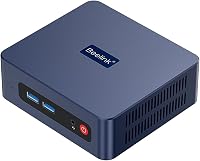
Beelink SER3 Mini Desktop PC W11 Pro
9.6/10 our score
See it on Amazon -
2

-
3

- 4
 Best for a multi-screen deskCheck it
 - 5
 Check it
GMKtec G5S Mini PC Intel N5095 8GB
Best for a tiny desk footprint - 6
 Best for a simple home setupCheck it
 - 7
 Check it
origimagic C3 Mini PC Intel Core i3-5005U
Best for a larger included SSD - 8
 Best for three-screen outputCheck it
 - 9
 Best for basic dual-screen tasksCheck it
Which mini PC under 200 dollars should you choose?
The Beelink SER3 is the strongest all-around fit in this group, while the other picks suit narrower needs such as extra display outputs, more storage or a very small footprint. Our score weighs specs, features and buyer feedback against what you're shopping for.
Beelink SER3 Mini Desktop PC W11 Pro: Best for everyday multitasking
- AMD Ryzen 3 3200U
- 8GB DDR4 RAM
- 256GB SSD
- Dual HDMI
A balanced starting configuration for documents, browsing and common home office tasks, with room for memory and storage upgrades.
Pros
- 256GB SSD
- Dual HDMI ports
- Memory and storage expansion supported
Cons
- 8GB RAM may limit heavier multitasking
- Confirm that the current price fits your budget
The Beelink SER3 pairs an AMD Ryzen 3 3200U with 8GB DDR4 RAM and a 256GB SSD, a balanced starting point for basic computing. Two HDMI ports support a dual-screen setup, and USB 3.2 Gen 2 ports provide connections for peripherals and external drives.
The listed expansion options include up to 16GB RAM, an NVMe M.2 drive up to 2TB and a 2.5-inch SATA drive. That gives you room to expand later, though upgrades add to the total cost.
Choose it for a general-use family computer or home office desktop. If your work involves demanding apps, gaming or large creative projects, compare a higher budget tier before choosing.
You can compare gaming mini PCs under 500 dollars if gaming is the priority.
Bmax Mini PC: Best for dual 4K displays
- Intel N4500
- 8GB DDR4 RAM
- 256GB SSD
- Dual HDMI 2.0
A basic desktop configuration with two HDMI outputs and two M.2 storage slots for future expansion.
Pros
- Dual HDMI 2.0 outputs
- Two M.2 SSD slots
- Wi-Fi 5 and Gigabit Ethernet
Cons
- Intel N4500 has 2 cores and 2 threads
- Confirm that the current price fits your budget
The Bmax Mini PC combines an Intel N4500 processor with 8GB RAM and a 256GB SSD. Two HDMI 2.0 outputs support two 4K displays at up to 60Hz, while Wi-Fi 5, Bluetooth 5.0 and Gigabit Ethernet cover common connection needs.
It has two M.2 SSD slots, one SATA and one NVMe, with storage expansion described up to 4TB. That can be useful if you expect to keep more files locally over time.
Choose it if two HDMI monitors matter more than having a faster processor. The N4500 has two cores and two threads, so it makes most sense for everyday tasks rather than heavy multitasking.
BOSGAME E5 Plus Mini PC: Best for multiple monitors
- AMD Ryzen 5400U
- 8GB DDR4 RAM
- 256GB SATA SSD
- Up to 3 displays
Its range of display outputs and an extra M.2 NVMe slot suit a desk where more screens or later storage expansion matter.
Pros
- HDMI, DisplayPort and USB-C video outputs
- Two 2.5GbE ports
- Memory upgrade support
Cons
- 8GB RAM is the included configuration
- Confirm that the current price fits your budget
The BOSGAME E5 Plus lists an AMD Ryzen 5400U, 8GB RAM and a 256GB SATA SSD. Its HDMI, DisplayPort and full-function USB-C outputs support a three-display setup, and the USB-C port also supports data transfer and PD 3.0 power delivery.
Two 2.5GbE Ethernet ports stand out if you use wired networking. The system also has an additional M.2 NVMe slot and supports memory upgrades, so there are options if your needs grow.
Choose this configuration for a desk with several monitors or for wired network flexibility. Check whether it fits your budget at the time of purchase, since compact PCs with these connections may cross the 200 dollars limit.
BOSGAME E5 11 Pro Mini PC: Best for a multi-screen desk
- AMD Ryzen 3 5300U
- 8GB DDR4 RAM
- 256GB NVMe SSD
- Three display outputs
Three display outputs, a second M.2 slot and dual 2.5GbE ports make it the most connection-focused option here.
Pros
- Three display outputs
- Second M.2 slot
- Dual 2.5GbE ports
Cons
- 8GB RAM may need an upgrade for heavier workloads
- Confirm that the current price fits your budget
The BOSGAME E5 11 Pro pairs an AMD Ryzen 3 5300U with 8GB RAM and a 256GB NVMe SSD. HDMI, DisplayPort and full-function USB-C provide three display outputs, and the system supports up to 64GB RAM across two SODIMM slots.
It also has an extra M.2 NVMe slot for adding storage and two 2.5GbE Ethernet ports. Those features make it more flexible than a basic office desktop, but they may make its current price a poor fit for a strict under-200 dollars limit.
Choose it if screen support and future expansion matter more than minimizing cost. For a simpler single-monitor setup, a less feature-rich configuration may be enough.
GMKtec G5S Mini PC Intel N5095 8GB: Best for a tiny desk footprint
- Intel Celeron N5095
- 8GB LPDDR4 RAM
- 128GB SSD
- Dual HDMI
Its small size and dual HDMI ports make it a compact choice for browsing, streaming and document editing.
Pros
- Compact 2.8 x 2.8 x 1.75 in dimensions
- Dual HDMI outputs
- MicroSD slot
Cons
- 128GB SSD is the smallest included drive here
- Confirm that the current price fits your budget
The GMKtec G5S is a tiny desktop with an Intel Celeron N5095, 8GB LPDDR4 RAM and a 128GB SSD. It has dual HDMI outputs, three USB 3.2 ports, Gigabit Ethernet and a MicroSD slot.
The small drive is the main trade-off. The computer supports storage expansion, but check what kind of upgrade fits your setup and budget before relying on that route.
Choose it when physical size matters and your files mostly live online or on external storage. Its stated uses include browsing, streaming, spreadsheets and document editing.
Bmax Mini PC B1 Plus: Best for a simple home setup
- Intel Celeron J3355
- 6GB RAM
- 128GB eMMC
- Dual HDMI
A modest option for web browsing and document editing, with an M.2 expansion path for added storage.
Pros
- Dual HDMI outputs
- Wi-Fi and Bluetooth
- M.2 storage expansion
Cons
- 6GB RAM and 128GB eMMC are modest starting amounts
- Confirm that the current price fits your budget
The Bmax Mini PC B1 Plus has an Intel Celeron J3355, 6GB RAM and 128GB eMMC storage. It offers dual HDMI, dual-band Wi-Fi, Bluetooth 5.0 and Gigabit Ethernet, with M.2 SSD expansion support.
This is a modest setup for web browsing and light office work. The lower memory and eMMC storage leave less room for multitasking and large local files than the 8GB RAM and SSD combinations above.
Choose it for a simple, space-saving desktop if your needs are limited. Confirm its current operating system and configuration before buying.
origimagic C3 Mini PC Intel Core i3-5005U: Best for a larger included SSD
- Intel Core i3-5005U
- 8GB RAM
- 512GB SSD
- Dual HDMI
The 512GB SSD gives you more included storage for files and applications, while the stated operating system support is limited to Windows 10 and Linux.
Pros
- 512GB SSD
- Dual HDMI outputs
- Additional M.2 and 2.5-inch storage support
Cons
- Does not support Windows 11
- Confirm that the current price fits your budget
The origimagic C3 stands out for including a 512GB SSD with 8GB RAM. It has an Intel Core i3-5005U processor, dual HDMI outputs and support for an additional M.2 SSD and a 2.5-inch SATA drive.
Its software support needs careful attention: this model supports Windows 10 and Linux, but not Windows 11. Check that this fits your plan, especially if you need Windows 11 for work or software compatibility.
Choose it if included storage is your main priority and Windows 10 or Linux works for you. Don't assume the larger SSD makes it a fit for every budget or operating system need.
Glorlin Mini PC: Best for three-screen output
- AMD Ryzen 5 3500U
- 8GB DDR4 RAM
- 256GB NVMe SSD
- HDMI, DisplayPort and USB-C
This configuration combines a Ryzen 5 processor with outputs for three screens, though the included memory is 8GB.
Pros
- Three display outputs
- Wi-Fi 6 and Bluetooth 5.3
- Memory expansion supported
Cons
- 8GB RAM may constrain demanding workloads
- Confirm that the current price fits your budget
The Glorlin Mini PC pairs an AMD Ryzen 5 3500U with 8GB DDR4 RAM and a 256GB NVMe SSD. Its HDMI, DisplayPort and USB-C outputs can connect up to three 4K screens, while Wi-Fi 6 and Bluetooth 5.3 provide wireless connections.
Memory can be expanded up to 32GB, according to the product information. The included 8GB is a more limited starting point, so factor an upgrade into your budget if you expect to run many apps at once.
Choose it if three-screen support and newer wireless standards matter to you. Verify that the configuration is within your spending limit before comparing it with simpler picks.
chatreey Mini PC N3150: Best for basic dual-screen tasks
- Intel Celeron N3150
- 8GB DDR3L RAM
- 256GB SSD
- Dual HDMI
A basic configuration for browsing and office tasks, with two display outputs and expandable storage.
Pros
- 256GB SSD
- Dual HDMI outputs
- Storage expansion supported
Cons
- Older Celeron N3150 processor
- Confirm that the current price fits your budget
The chatreey Mini PC N3150 uses an Intel Celeron N3150 with 8GB DDR3L RAM and a 256GB SSD. Dual HDMI 2.0 outputs support two displays at 2K and 60Hz, and the chassis can mount behind a monitor with the included VESA kit.
Its two M.2 slots allow storage expansion, and its ports include USB 3.2, USB 2.0, Ethernet and two Type-C connections. The older processor makes it a fit for basic tasks rather than demanding workloads.
Choose it for a simple dual-screen setup, provided the processor and operating system meet your needs. Check current support details before buying.
How should you compare budget mini PCs?
A budget mini PC under 200 dollars is easiest to compare by checking the processor, memory, storage and ports in that order. Start with the work you do most often, then rule out models that fall short on a requirement you can't upgrade.
| Product | Best for | Processor | Memory and storage | Displays | Our score |
|---|---|---|---|---|---|
| Beelink SER3 Mini Desktop PC W11 Pro | everyday multitasking | AMD Ryzen 3 3200U | 8GB RAM, 256GB SSD | 2 HDMI outputs | 9.6 |
| Bmax Mini PC | dual 4K displays | Intel N4500 | 8GB RAM, 256GB SSD | Dual 4K at 60Hz via HDMI | 9.3 |
| BOSGAME E5 Plus Mini PC | multiple monitors | AMD Ryzen 5400U | 8GB RAM, 256GB SATA SSD | HDMI, DisplayPort and USB-C | 9.3 |
| BOSGAME E5 11 Pro Mini PC | a multi-screen desk | AMD Ryzen 3 5300U | 8GB RAM, 256GB NVMe SSD | HDMI, DisplayPort and USB-C | 9.1 |
| GMKtec G5S Mini PC Intel N5095 8GB | a tiny desk footprint | Intel Celeron N5095 | 8GB RAM, 128GB SSD | Dual HDMI | 8.9 |
| Bmax Mini PC B1 Plus | a simple home setup | Intel Celeron J3355 | 6GB RAM, 128GB eMMC | Dual HDMI | 8.6 |
| origimagic C3 Mini PC Intel Core i3-5005U | a larger included SSD | Intel Core i3-5005U | 8GB RAM, 512GB SSD | Dual HDMI up to 2560 x 1600 at 60Hz | 8.4 |
| Glorlin Mini PC | three-screen output | AMD Ryzen 5 3500U | 8GB RAM, 256GB NVMe SSD | Up to 3 screens | 8.1 |
| chatreey Mini PC N3150 | basic dual-screen tasks | Intel Celeron N3150 | 8GB RAM, 256GB SSD | Dual HDMI, 2K at 60Hz | 7.9 |
For browsing, email and documents, an entry-level processor may be enough. If you often keep video calls, spreadsheets and many browser tabs open together, prioritize a stronger processor and consider whether memory can be upgraded.
Memory and storage solve different problems. RAM affects how many programs can stay active, while the SSD or eMMC drive holds your files and apps.
For help estimating drive capacity, read how much storage do I need in a mini PC?.
What can you expect from a mini PC under 200 dollars?
A mini PC under 200 dollars can cover everyday tasks, but the exact experience depends on its hardware and your workload. These picks are best treated as compact desktops for basic computing, not as a promise of high-end performance.
Most options here include 8GB RAM, but the Bmax B1 Plus has 6GB. Storage ranges from 128GB to 512GB, and some models use eMMC instead of an SSD.
If you keep a large photo or video library on the computer, favor more storage or verify expansion options.
Monitor support also varies. Several models offer dual HDMI, while others add DisplayPort or USB-C video output for a third screen.
Check the exact ports against your monitor inputs before you choose.
When is it worth spending more than 200 dollars?
Spending more can make sense if you need stronger multitasking, more memory, larger storage or a specific connection. A higher budget also gives you more room to choose a configuration without relying on immediate upgrades.
If these models don't meet your needs, compare our guides to the best mini PC under 300 dollars, best mini PC under 400 dollars and best mini PC under 500 dollars. A small increase in budget may open up more capable options.
For a broader checklist covering processor, ports and operating system, use our step-by-step guide to choosing a mini PC.
Is a budget mini PC under 200 dollars right for you?
Choose the Beelink SER3 for a balanced everyday setup with 8GB RAM, a 256GB SSD and dual HDMI. Pick the GMKtec for a tiny footprint, the origimagic for more included storage if Windows 10 or Linux suits you, or a BOSGAME model if your desk needs multiple display outputs.
Before buying, compare the current price with the exact memory, storage and operating system configuration. If none fits your needs within the cap, move up a budget tier rather than accepting a setup that will need replacing soon.
Our top 3 picks at a glance
-
1
Best for everyday multitasking
Beelink SER3 Mini Desktop PC W11 Pro
9.6/10 our score
See it on Amazon -
2
-
3
Frequently asked questions
Can you find a mini PC under 200 dollars?
Yes, some compact desktops may fall under 200 dollars, but prices change and can exceed the cap. Check the current price and configuration before you buy.
Compare the processor, memory and storage for your everyday tasks, since a low price alone doesn't show whether a computer will suit your needs.
How much RAM should a budget mini PC have?
For basic browsing, documents and email, 8GB RAM is a practical starting point. The picks here range from 6GB to 8GB, so check what is included and whether memory can be upgraded.
More memory can help when you keep many apps or browser tabs open, though the processor also matters.
Is 128GB of storage enough for a mini PC?
A 128GB drive can work for a light setup with a few apps and mostly online files. It leaves less room for large downloads, photos, video or several installed programs than a 256GB or 512GB drive.
See how much storage you need in a mini PC before choosing a smaller drive.
What should I check before buying a budget mini PC?
Check the processor, included RAM and storage, display ports, network connections and operating system support. Make sure the computer can connect to your monitor and peripherals without adapters you don't already own.
Our step-by-step mini PC guide walks through those choices.