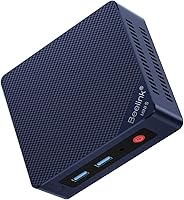
8 Best Ryzen 7 Mini PCs (October 2026)
The best Ryzen 7 mini PCs include the ACEMAGICIAN ACEMAGIC K1 Gaming Mini PC Ryzen for Ryzen 7 7735HS graphics, the GMKtec M5 Ultra Gaming Mini PC Computer for dual 2.5G LAN, and the GMKtec M5 Ultra Mini PC AMD Ryzen for dual-channel memory.
On this page (5 sections)
The best Ryzen 7 mini PC for most people is the ACEMAGICIAN ACEMAGIC K1 Gaming Mini PC Ryzen, with a Ryzen 7 7735HS, Radeon 680M graphics and 24GB of LPDDR5 memory. Pick a GMKtec M5 Ultra for dual 2.5G LAN, or the BOSGAME P3 Plus if you want a Ryzen 7 7840HS and 1TB SSD.
Ryzen 7 is a processor family, not a promise that every mini PC performs the same way. Compare the exact chip, memory type, storage and display outputs before deciding which AMD mini PC suits your desk.
For a wider look at AMD options, see our best AMD mini PC picks. If you’re still weighing the processor tier, our best Ryzen mini PCs cover the broader family, including Ryzen 9 mini PCs and Ryzen 5 mini PCs.
Our picks at a glance
-
1
 Best for Ryzen 7 7735HS graphics
ACEMAGICIAN ACEMAGIC K1 Gaming Mini PC Ryzen
9.7/10 our score
See it on Amazon -
2

-
3

How we chose the best Ryzen 7 mini PCs
The top Ryzen 7 mini PCs here pair the processor with features that matter for compact desktop use. We compared processor models, memory, storage, graphics and monitor connections, then matched those details to common home and office needs.
Our score weighs specs and features against what you’re shopping for.
The picks include Ryzen 7 7730U and 7735HS systems, a Ryzen 7 6800H model and one 7840HS option. The Beelink SER3 uses a Ryzen 5 3500U, so it’s included as a lower-tier alternative for readers who may not need Ryzen 7.
Ryzen 7 mini PC comparison
The main differences are the processor generation and class, memory configuration, storage capacity and network or display connections. Use this table to narrow the choices, then check the individual descriptions for the tradeoffs.
| Product | Best for | Processor | Memory | Storage | Our score |
|---|---|---|---|---|---|
| ACEMAGICIAN ACEMAGIC K1 Gaming Mini PC Ryzen | Ryzen 7 7735HS graphics | Ryzen 7 7735HS | 24GB LPDDR5 | 512GB M.2 SSD | 9.7 |
| GMKtec M5 Ultra Gaming Mini PC Computer | dual 2.5G LAN | Ryzen 7 7730U | 16GB DDR4 | 256GB PCIe SSD | 9.4 |
| GMKtec M5 Ultra Mini PC AMD Ryzen | dual-channel memory | Ryzen 7 7730U | 16GB dual-channel DDR4 | 512GB PCIe SSD | 9.2 |
| ACEMAGICIAN K1 Mini PC Win 11 Pro | five USB 3.2 ports | Ryzen 7 7730U | 16GB DDR4 | 512GB PCIe SSD | 9.1 |
| Glorlin Mini PC Ryzen 7 6800H | Ryzen 7 6800H | Ryzen 7 6800H | 16GB LPDDR5 | 512GB NVMe SSD | 8.9 |
| Beelink SER3 Mini PC | a lower-cost Ryzen alternative | Ryzen 5 3500U | 16GB DDR4 | 256GB PCIe 3.0 SSD | 8.7 |
| Beelink SER5 MAX Mini Pc | 24GB memory and 500GB storage | Ryzen 7 7735U | 24GB LPDDR5 | 500GB M.2 SSD | 8.3 |
| BOSGAME P3 Plus Mini PC | Ryzen 7 7840HS and 1TB SSD | Ryzen 7 7840HS | 16GB DDR5 | 1TB PCIe 4.0 NVMe SSD | 8.2 |
The best Ryzen 7 mini PCs for different needs
The best pick depends on which components and connections you’ll use most. These options are ordered by their fit for the needs described, from a strong all-around configuration to a lower-tier alternative.
ACEMAGICIAN ACEMAGIC K1 Gaming Mini PC Ryzen: Best for Ryzen 7 7735HS graphics
- Ryzen 7 7735HS
- 24GB LPDDR5 memory
- 512GB M.2 SSD
- Radeon 680M graphics
- Triple display output
A Ryzen 7 7735HS and Radeon 680M graphics suit buyers who want a compact PC for everyday work, multitasking and light gaming. It also supports three displays.
Pros
- 24GB LPDDR5 memory
- Two M.2 2280 slots
- HDMI, DisplayPort and Type-C display outputs
Cons
- Memory is onboard
- The supplied SSD is 512GB
The ACEMAGICIAN ACEMAGIC K1 Gaming Mini PC Ryzen pairs a Ryzen 7 7735HS with Radeon 680M graphics and 24GB of LPDDR5 memory. That combination fits buyers looking for a compact desktop for office apps, multitasking and casual gaming.
For a higher processor tier aimed at gaming, compare Ryzen 9 gaming mini PCs.
Its 512GB M.2 SSD provides room for the operating system, apps and everyday files. Two M.2 2280 slots support additional NVMe storage, with expansion up to 4TB.
For a multi-screen desk, the K1 supports three displays through HDMI, DisplayPort and Type-C. Its compact chassis measures about 5 × 5 × 1.6 in, and the box includes a VESA mounting bracket.
Choose this one if its 7735HS processor and 24GB memory match your work and light gaming needs. The memory is onboard, so plan around the installed capacity.
GMKtec M5 Ultra Gaming Mini PC Computer: Best for dual 2.5G LAN
- Ryzen 7 7730U
- 16GB DDR4 memory
- 256GB PCIe SSD
- Two 2.5G LAN ports
- Triple display support
Dual 2.5G LAN ports distinguish this Ryzen 7 mini PC for wired network setups. The memory and storage can be expanded, though upgrades are not included.
Pros
- Two 2.5G LAN ports
- Memory supports expansion to 64GB
- Three display outputs
Cons
- Starts with a 256GB SSD
- RAM is a single 16GB module
The GMKtec M5 Ultra Gaming Mini PC Computer suits a desk or home network where wired connectivity matters. It has two 2.5G RJ45 LAN ports, Wi-Fi 6E and Bluetooth 5.2.
The Ryzen 7 7730U is paired with 16GB of DDR4 memory and a 256GB PCIe SSD. GMKtec says the memory can expand to 64GB and the dual M.2 slots support up to 4TB of SSD storage; upgrades are not included.
Three-display support gives you room for separate work windows, and the USB-C port supports power delivery, DisplayPort and data. Check the device ports you need before placing it in a compact setup.
Choose this configuration when dual wired LAN ports are a priority. If you store large files locally, account for the 256GB starting SSD or planned storage expansion.
GMKtec M5 Ultra Mini PC AMD Ryzen: Best for dual-channel memory
- Ryzen 7 7730U
- 16GB dual-channel DDR4
- 512GB PCIe SSD
- Two 2.5G LAN ports
- Triple display support
This M5 Ultra configuration pairs 16GB of dual-channel memory with a 512GB SSD. Its dual 2.5G LAN ports and three-display support suit a work or home setup with several connected screens.
Pros
- Dual-channel 16GB memory
- 512GB SSD
- Two 2.5G LAN ports
Cons
- Upgrades are not included
- The processor is Ryzen 7 7730U
This GMKtec M5 Ultra configuration keeps the same Ryzen 7 7730U and dual 2.5G LAN idea, but starts with a 512GB SSD and dual-channel 16GB DDR4 memory. That makes it the more balanced M5 Ultra choice if you want more included storage than the 256GB version.
It supports three displays and includes HDMI, DisplayPort and USB-C connections. The USB-C port supports power delivery, display output and data, while Wi-Fi 6E and Bluetooth 5.2 cover wireless accessories.
GMKtec says memory can expand to 64GB and that the dual SSD slots support additional storage. Confirm upgrade compatibility and capacity for the exact configuration you choose.
Pick this model if you want the M5 Ultra’s wired network connections with more storage ready at the start. Consider the other M5 Ultra if you’re comfortable adding storage later.
ACEMAGICIAN K1 Mini PC Win 11 Pro: Best for five USB 3.2 ports

- Ryzen 7 7730U
- 16GB memory
- 512GB PCIe SSD
- Five USB 3.2 ports
- Triple display output
Five USB 3.2 ports give this K1 a straightforward way to connect peripherals. It also has HDMI, DisplayPort and Type-C outputs for up to three displays.
Pros
- Five USB 3.2 ports
- 16GB memory and 512GB SSD
- Windows 11 Pro
Cons
- Memory is onboard and not upgradeable
- The processor is Ryzen 7 7730U
The ACEMAGICIAN K1 Mini PC Win 11 Pro is a Ryzen 7 7730U system with five USB 3.2 ports. That many ports can reduce the need for a separate hub when you connect wired accessories.
It comes with 16GB of memory and a 512GB PCIe SSD. The brand describes the memory as onboard and non-upgradeable, while the SSD can be expanded with an additional M.2 NVMe drive.
HDMI, DisplayPort and Type-C support three displays. The K1 also includes Wi-Fi 6, Bluetooth 5.2 and a 1.0G RJ45 port.
Choose it if the USB connections and included Windows 11 Pro fit your setup. Since the memory can’t be upgraded, make sure 16GB will cover the apps you expect to keep open.
Glorlin Mini PC Ryzen 7 6800H: Best for Ryzen 7 6800H

- Ryzen 7 6800H
- 16GB LPDDR5 memory
- 512GB NVMe SSD
- Radeon 680M graphics
- Dual LAN
The Ryzen 7 6800H, Radeon 680M graphics and 16GB LPDDR5 memory form a compact option for office tasks and light gaming. It supports up to three 4K displays.
Pros
- Radeon 680M graphics
- Dual M.2 expansion
- Dual LAN and triple display support
Cons
- Memory is 16GB
- Warranty is 1 year
The Glorlin Mini PC Ryzen 7 6800H stands out with its Ryzen 7 6800H and Radeon 680M graphics. It pairs those components with 16GB of LPDDR5 memory and a 512GB NVMe SSD.
For storage growth, it supports dual M.2 expansion. The system also has dual LAN and can connect to as many as three 4K displays through HDMI, DisplayPort and Type-C.
The compact system is suited to office work, browsing, coding and light gaming. Glorlin provides a 1-year warranty for this model.
Choose the Glorlin if the 6800H and Radeon 680M combination is the main draw. Compare its ports and included memory with the GMKtec and ACEMAGICIAN alternatives before settling on a desk layout.
Beelink SER3 Mini PC: Best for a lower-cost Ryzen alternative

- Ryzen 5 3500U
- 16GB DDR4 memory
- 256GB PCIe 3.0 SSD
- Dual HDMI output
- Memory upgradeable to 32GB
This is the only Ryzen 5 model in the roundup, so it suits buyers open to stepping below Ryzen 7. It offers dual HDMI output and upgradeable memory.
Pros
- Dual 4K HDMI outputs
- Memory upgradeable to 32GB
- Includes a wall-mount bracket
Cons
- Uses a Ryzen 5 3500U processor
- Starts with a 256GB SSD
The Beelink SER3 Mini PC is the one non-Ryzen 7 option here. Its Ryzen 5 3500U makes it a possible fit if your everyday work doesn’t call for a Ryzen 7 system.
It comes with 16GB of DDR4 memory and a 256GB PCIe 3.0 SSD. Beelink says the memory is upgradeable to 32GB, while the SSD can expand up to 2TB; it also has a separate 2.5 in drive bay.
For other Ryzen 7 32GB mini PCs, compare the configurations and upgrade options.
Two HDMI 2.0 outputs support dual 4K displays. The included wall bracket can mount the small computer behind a monitor.
Choose it as a lower-tier alternative for office tasks, media playback and light gaming. If price is a priority, compare mini PCs under 300 dollars.
If you need Ryzen 7 specifically, compare the K1 and M5 Ultra options instead.
Beelink SER5 MAX Mini Pc: Best for 24GB memory and 500GB storage

- Ryzen 7 7735U
- 24GB LPDDR5 memory
- 500GB M.2 SSD
- Radeon 680M graphics
- Triple display support
This Beelink combines a Ryzen 7 7735U with 24GB of LPDDR5 memory and a 500GB SSD. Its Radeon 680M graphics and triple-display support suit multitasking and light gaming.
Pros
- 24GB LPDDR5 memory
- Radeon 680M graphics
- Wi-Fi 6 and 2.5G Ethernet
Cons
- Memory is LPDDR5
- Storage is 500GB
The Beelink SER5 MAX Mini Pc combines a Ryzen 7 7735U, 24GB LPDDR5 memory and a 500GB SSD. Its Radeon 680M graphics and support for three 4K monitors suit a multitasking desktop with multiple screens.
The video outputs include HDMI, DisplayPort and USB-C. The system also has Wi-Fi 6, Bluetooth 5.4 and 2.5G Ethernet for wired and wireless connections.
Beelink says the storage can expand up to 8TB. The memory is LPDDR5, so check the exact model configuration if memory upgrades are a requirement.
Choose this model if you want 24GB of memory and 680M graphics in a compact system. Its included SSD is 500GB, slightly less than the 512GB drives in several other picks.
BOSGAME P3 Plus Mini PC: Best for Ryzen 7 7840HS and 1TB SSD

- Ryzen 7 7840HS
- 16GB DDR5 memory
- 1TB PCIe 4.0 NVMe SSD
- Radeon 780M graphics
- Triple display support
A Ryzen 7 7840HS and Radeon 780M graphics set this P3 Plus apart from the other picks. It also starts with a 1TB SSD and supports up to three monitors.
Pros
- Ryzen 7 7840HS processor
- 1TB PCIe 4.0 NVMe SSD
- Memory supports expansion to 64GB
Cons
- Starts with 16GB memory
- Warranty is 1 year
The BOSGAME P3 Plus Mini PC has a Ryzen 7 7840HS and Radeon 780M graphics, setting it apart from the other processors in this group. It includes 16GB of DDR5 memory and a 1TB PCIe 4.0 NVMe SSD.
It supports up to three monitors through HDMI, DisplayPort and USB-C. Other connections include Wi-Fi 6E, Bluetooth 5.2 and dual Gigabit Ethernet.
BOSGAME says the memory can expand to 64GB and that a second SSD can be added. Its full-function USB-C port supports video, data and power delivery.
Choose the P3 Plus if its processor, graphics and 1TB starting drive line up with your plans. It comes with 16GB of memory, so consider whether you’ll want to expand that for heavier multitasking.
What should you compare before choosing a Ryzen 7 mini PC?
Compare the processor model, memory capacity and type, storage, and display or network ports. The Ryzen 7 name covers several processors in this group, so the full model number gives you a more useful comparison than the family name alone.
Is a Ryzen 7 7730U different from a 7735HS?
Yes. The 7730U appears in several office-oriented mini PCs here, while the ACEMAGICIAN K1 uses a 7735HS and the BOSGAME P3 Plus uses a 7840HS.
Match the full processor name to your intended workload rather than assuming every Ryzen 7 model is interchangeable.
For stronger compact computing, compare the CPU with the graphics and memory configuration. Integrated graphics are part of these systems, so the exact Radeon model and memory arrangement also matter for casual gaming and creative work.
How much memory and storage should you choose?
Choose memory based on how many apps you keep open and whether the system allows upgrades. A 16GB configuration is common in this group, while the ACEMAGICIAN K1 and Beelink SER5 MAX start with 24GB.
Storage needs depend on files, games and apps kept on the computer. Some models offer extra M.2 slots or a separate drive bay, but upgrades may require separate parts; use our guide to how much storage you need in a mini PC to estimate capacity.
Do you need three displays or faster wired networking?
Check the exact monitor outputs and the number of screens supported before buying. Several picks support three displays, but the connection mix differs across HDMI, DisplayPort and Type-C.
Dual 2.5G LAN appears on both GMKtec M5 Ultra models, while other picks have different wired network connections. Our step-by-step guide to choosing a mini PC walks through matching ports and components to your desk.
Which Ryzen 7 mini PC should you choose?
Choose the ACEMAGICIAN ACEMAGIC K1 Gaming Mini PC Ryzen for a Ryzen 7 7735HS, Radeon 680M and 24GB of LPDDR5 memory. Pick the GMKtec M5 Ultra if dual 2.5G LAN matters, and the BOSGAME P3 Plus if you want its 7840HS processor and 1TB SSD.
If you’re still comparing processor tiers, use the Ryzen 5 mini PC guide for a lower step or the Ryzen 9 mini PC roundup for another tier. Choose by the exact CPU, memory, storage and ports your setup needs.
Our top 3 picks at a glance
-
1
Best for Ryzen 7 7735HS graphics
ACEMAGICIAN ACEMAGIC K1 Gaming Mini PC Ryzen
9.7/10 our score
See it on Amazon -
2
-
3
Frequently asked questions
What should you look for in a Ryzen 7 mini PC?
Match the processor, memory, storage and ports to your daily work. Ryzen 7 models here range from the 7730U to the 7840HS, while memory options include DDR4 and LPDDR5.
Check whether memory can be upgraded, how much storage is installed, and which monitor outputs you need.
Is a Ryzen 7 mini PC good for gaming?
A Ryzen 7 mini PC with integrated Radeon graphics can suit casual games and some esports titles, depending on the model and settings. ACEMAGICIAN describes its K1 with Ryzen 7 7735HS and Radeon 680M as suitable for light gaming.
For demanding games, check requirements and independent performance information before you buy.
How much memory do you need in a Ryzen 7 mini PC?
For everyday office work and browsing, 16GB can be a sensible starting point. Choose 24GB if you expect to keep many apps and browser tabs open, and confirm whether the memory is upgradeable before choosing a model.
LPDDR memory can be onboard, as it is in the ACEMAGICIAN K1 with 16GB.
Can Ryzen 7 mini PCs run multiple monitors?
Several picks in this roundup support three displays, including the ACEMAGICIAN K1, both GMKtec M5 Ultra configurations and the BOSGAME P3 Plus. Their output combinations vary, so check that your monitors have matching HDMI, DisplayPort or USB-C inputs.
The Beelink SER3 has two HDMI outputs.
How much storage do you need in a mini PC?
A 256GB SSD can fill quickly if you keep large projects, games or video files on the computer. A 512GB or 1TB drive gives you more room to start, while expandable storage can help if your needs grow.
Use our guide to how much storage you need in a mini PC to estimate your own space.