8 Best Beelink Mini PCs for Linux (November 2026)
The best Beelink mini PCs for Linux include the Beelink SER5 Mini PC for a capable Linux desktop, the Beelink SER3 Mini PC for a modest Linux workstation, and the Beelink Mini PC for a compact Linux starter.
On this page (4 sections)
The best Beelink mini PC for Linux is the SER5 with Ryzen 5 5500U, thanks to its 6-core processor, 16GB of memory and 480GB NVMe SSD. For a smaller, lighter-use desktop, the Mini S12 brings an Intel N95 processor and dual HDMI.
A mini PC's processor is only part of Linux compatibility. The distribution also needs working support for the graphics, Wi-Fi, Bluetooth, Ethernet, audio and sleep behavior in that exact hardware configuration.
If you're new to Linux on compact computers, start with the simple answer to whether a mini PC can run Linux. For more Beelink options across different uses, see our best Beelink mini PC guide.
Our picks at a glance
-
1
-
2

-
3
Which Beelink mini PCs are suited to Linux?
The SER5 has the strongest general desktop configuration in this group, while the Mini S12 models suit lighter use and the EQR5 offers a newer Ryzen 3 processor. BOSGAME is included because its maker specifically states Ubuntu support.
We compared processor, memory, storage and connection details that matter when choosing a Linux desktop. We did not test these computers with Linux, so check your preferred distribution's hardware support and try a live USB before installing.
| Product | Best for | Processor | Memory | Storage | Our score |
|---|---|---|---|---|---|
| Beelink SER5 Mini PC | a capable Linux desktop | AMD Ryzen 5 5500U | 16GB DDR4 | 480GB M.2 2280 NVMe SSD | 9.7 |
| Beelink SER3 Mini PC | a modest Linux workstation | AMD Ryzen 3 3200U | 16GB DDR4 | 500GB M.2 PCIe SSD | 9.7 |
| Beelink Mini PC | a compact Linux starter | Intel Celeron N95 | 8GB DDR4 | 256GB SSD | 9.5 |
| Beelink SER5 Mini PC | Linux with extra storage options | AMD Ryzen 5 5500U | 16GB DDR4 | 480GB M.2 NVMe SSD | 9.5 |
| Beelink Mini PC | a dual-display Linux setup | Intel Celeron N95 | 8GB DDR4 | 480GB SSD | 9.4 |
| Beelink Mini PC | wired Linux networking | Intel Alder Lake N95 | 8GB DDR4 | 256GB M.2 SSD | 9.4 |
| BOSGAME E5 11 Pro Mini PC | Ubuntu support stated by the brand | AMD Ryzen 3 5300U | 8GB DDR4 | 256GB M.2 NVMe SSD | 9.1 |
| Beelink EQR5 Mini PC Ryzen 3 7330U | a newer Ryzen 3 platform | AMD Ryzen 3 7330U | 16GB DDR4 | 500GB M.2 2280 NVMe SSD | 9.1 |
Beelink mini PC Linux picks by use
The best match depends on the desktop workload, the peripherals you need and how much room you want for applications and files. Product specifications can help narrow the options, but they do not guarantee that every Linux distribution supports every component.
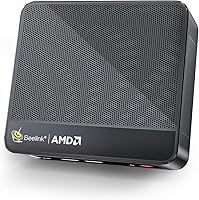
Beelink SER5 Mini PC: best Beelink mini PC for Linux desktop work
Beelink SER5 Mini PC: Best for a capable Linux desktop
- AMD Ryzen 5 5500U, 6 cores and 12 threads
- 16GB DDR4 memory
- 480GB M.2 NVMe SSD
- HDMI, USB-C and 2.5G LAN
The 6-core Ryzen 5 and 16GB of memory give this SER5 a strong starting point for a Linux desktop. It also has NVMe storage and a mix of HDMI, USB-C and wired networking.
Pros
- 6-core, 12-thread processor
- 16GB memory and NVMe storage
- 2.5G LAN and USB-C
Cons
- Linux compatibility still depends on the distribution and hardware revision
The Beelink SER5 Mini PC is the most capable general desktop pick in this roundup. Its Ryzen 5 5500U has 6 cores and 12 threads, paired with 16GB of DDR4 memory and a 480GB M.2 NVMe SSD.
For Linux desktop use, that combination leaves room for several applications and browser tabs without starting with the 8GB configurations found on some smaller systems. You can also connect displays through HDMI or USB-C, and use its 2.5G LAN port for a wired network.
The memory can be upgraded to 64GB, according to the product details. That may matter if you plan to run development tools, virtual machines or other memory-heavy workloads later.
Before installing, confirm that your preferred distribution supports the graphics and network hardware in the unit you receive. The SER5 is the best fit here if you want stronger processor headroom and a useful mix of ports.
Beelink SER3 Mini PC: best for everyday Linux tasks
Beelink SER3 Mini PC: Best for a modest Linux workstation
- AMD Ryzen 3 3200U, 2 cores and 4 threads
- 16GB DDR4 memory
- 500GB M.2 PCIe SSD
- Dual HDMI and Gigabit LAN
The SER3 pairs 16GB of memory with a 500GB SSD for everyday Linux use. Its dual HDMI ports support a two-screen setup, while its 2-core processor is a more modest choice for demanding multitasking.
Pros
- 16GB memory and 500GB SSD
- Dual HDMI outputs
- Gigabit Ethernet
Cons
- 2-core processor has fewer cores than the SER5
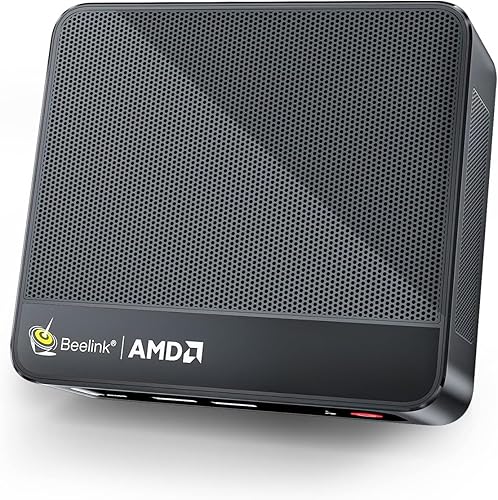
The Beelink SER3 Mini PC suits an everyday Linux desktop built around browsing, office work and media. It uses a Ryzen 3 3200U with 2 cores and 4 threads, 16GB of DDR4 memory and a 500GB M.2 PCIe SSD.
Its 16GB memory and storage capacity make it a more balanced starting configuration than a system with less memory and a smaller drive. The dual HDMI ports can support a two-screen workspace, and Gigabit Ethernet provides a wired network option.
The processor is less suited to heavy multitasking than the 6-core Ryzen 5 in the SER5. Choose the SER3 if your workload is modest and you value the included memory and SSD capacity.
Beelink Mini S12: best compact Linux starter
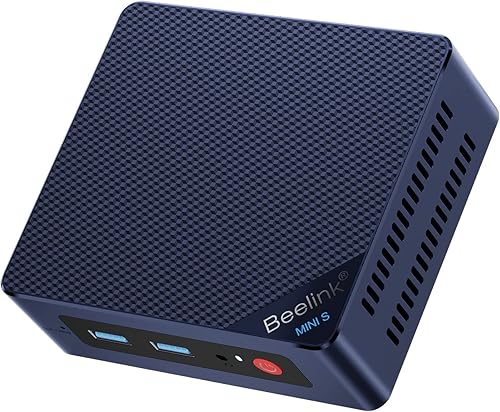
Beelink Mini PC: Best for a compact Linux starter
- Intel Celeron N95, 4 cores and 4 threads
- 8GB DDR4 memory
- 256GB SSD
- Wi-Fi 6 and dual HDMI
This Mini S12 configuration offers an Intel N95 processor, 8GB of memory and a 256GB SSD. Dual HDMI and Wi-Fi 6 add useful connection options for a basic desktop.
Pros
- Four-core processor
- Wi-Fi 6
- Dual HDMI
Cons
- 8GB memory and 256GB storage leave less room for heavier use
This Beelink Mini PC, also called the MINI S12, uses an Intel Celeron N95 with 4 cores and 4 threads. Its 8GB of DDR4 memory and 256GB SSD fit a basic Linux setup for web browsing, documents and streaming.
The N95 configuration includes Wi-Fi 6, Bluetooth and dual HDMI ports. The small case also comes with a wall-mount bracket, which can help keep a compact desk clear.
The lower memory and storage capacity make this a lighter-duty choice than the SER5 or SER3. Check the exact wireless adapter and test your chosen Linux distribution before you rely on its Wi-Fi.
Beelink SER5 Mini PC: best for display and storage expansion
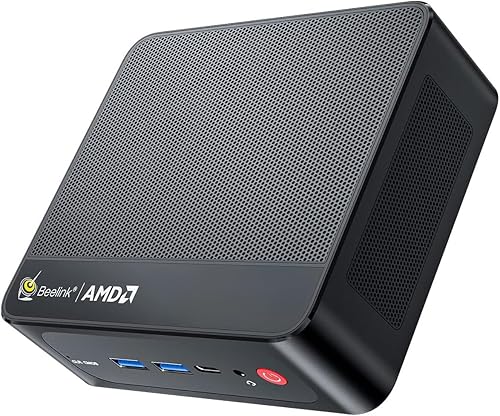
Beelink SER5 Mini PC: Best for Linux with extra storage options
- AMD Ryzen 5 5500U, 6 cores and 12 threads
- 16GB DDR4 memory
- 480GB NVMe SSD
- HDMI, DisplayPort and USB-C
This SER5 configuration combines the Ryzen 5 5500U with 16GB of memory and 480GB of NVMe storage. Its HDMI, DisplayPort and USB-C ports offer several ways to connect a Linux desktop display.
Pros
- 6-core, 12-thread processor
- HDMI and DisplayPort
- Expandable memory and storage
Cons
- Confirm Linux support for wireless and other devices before installing
This SER5 has the same Ryzen 5 5500U, 16GB memory and 480GB NVMe storage combination as the top pick. Its HDMI and DisplayPort outputs give you another display connection option alongside USB-C.
Beelink describes support for expanding memory up to 64GB, adding an M.2 SSD up to 2TB, and adding a 2.5-inch SATA drive. Those options can help if you want extra space for Linux applications, files or a separate installation.
As with any mini PC, expansion features don't tell you whether every component works in your preferred distribution. Confirm wireless, audio and sleep behavior during a live session before making it your daily computer.
Beelink Mini S12: best for two monitors and a larger SSD
Beelink Mini PC: Best for a dual-display Linux setup

- Intel Celeron N95, 4 cores and 4 threads
- 8GB DDR4 memory
- 480GB SSD
- Dual HDMI and 1Gb LAN
This Mini S12 version pairs an Intel N95 with 8GB of memory and a larger 480GB SSD. Dual HDMI ports make it a practical option when a two-monitor desk is part of the plan.
Pros
- 480GB SSD
- Dual HDMI outputs
- Four USB 3.2 ports
Cons
- 8GB memory is a modest starting point for demanding workloads
This Mini S12 configuration includes an Intel N95 processor, 8GB of memory and a 480GB SSD. The larger drive gives you more space than the 256GB Mini S12 configurations for applications, documents and local media.
Two HDMI ports support a dual-display setup, and four USB 3.2 ports provide connections for peripherals and external storage. The computer also includes a VESA mount and Wi-Fi 5.
Its 8GB of memory makes it a better fit for general desktop use than heavy development or virtual machines. If you want a compact Linux setup with two screens and roomier storage, this configuration is worth comparing.
Beelink Mini S12: best for a 2.5Gb wired connection
Beelink Mini PC: Best for wired Linux networking
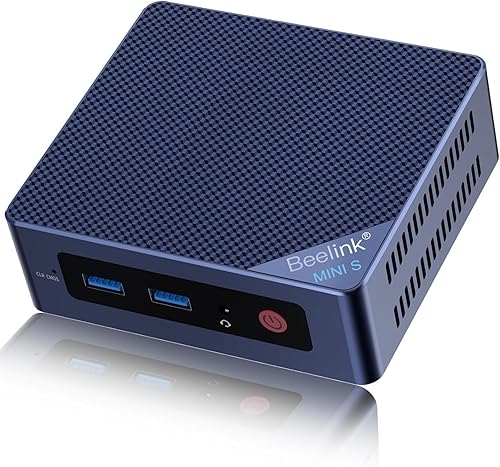
- Intel Alder Lake N95, 4 cores and 4 threads
- 8GB DDR4 memory
- 256GB M.2 SSD
- 2.5Gb LAN and dual HDMI
The Mini S12 adds a 2.5Gb LAN port alongside an Intel N95, 8GB of memory and a 256GB SSD. That wired connection may suit a Linux desktop or home server where Ethernet is preferred.
Pros
- 2.5Gb LAN
- Dual HDMI
- Storage expansion support
Cons
- 8GB memory is better suited to lighter workloads
This Mini S12 has an Intel N95, 8GB of DDR4 memory and a 256GB M.2 SSD. Its 2.5Gb LAN port is the main reason to consider it over the other Mini S12 options here.
The model also has dual HDMI, Wi-Fi 5 and Bluetooth 4.2. Its M.2 storage can be expanded, and a 2.5-inch SATA drive can be added, according to the product details.
The small memory and starting SSD capacity are best suited to lighter desktop use or a simple network role. Check the distribution's support for the wired and wireless adapters before deciding which connection you'll use.
BOSGAME E5 11 Pro Mini PC: best for stated Ubuntu support
BOSGAME E5 11 Pro Mini PC: Best for Ubuntu support stated by the brand

- AMD Ryzen 3 5300U, 4 cores and 8 threads
- 8GB DDR4 memory
- 256GB NVMe SSD
- Ubuntu support stated by BOSGAME
BOSGAME states that the E5 supports Ubuntu. Its Ryzen 3 5300U, dual M.2 slots and dual 2.5GbE ports may appeal to Linux users planning storage or network projects.
Pros
- Ubuntu support stated by BOSGAME
- Dual 2.5GbE ports
- Two M.2 SSD slots
Cons
- 8GB memory and 256GB storage are the starting configuration
BOSGAME says the E5 11 Pro supports Linux Ubuntu, which gives Linux users a specific distribution compatibility claim to consider. Its Ryzen 3 5300U has 4 cores and 8 threads, with 8GB of DDR4 memory and a 256GB NVMe SSD.
The E5 also has dual 2.5GbE ports and two M.2 SSD slots. Those features can suit a home server, firewall or storage project, though you'll still need to check support for the exact network hardware and any software you plan to use.
Its initial 8GB of memory and 256GB SSD are modest for a desktop with many applications. BOSGAME says memory can be expanded up to 64GB, and a second M.2 drive can be added.
Beelink EQR5 Mini PC: best for a newer Ryzen 3 option
Beelink EQR5 Mini PC Ryzen 3 7330U: Best for a newer Ryzen 3 platform

- AMD Ryzen 3 7330U, 4 cores and 8 threads
- 16GB DDR4 memory
- 500GB NVMe SSD
- Wi-Fi 6 and dual HDMI
The EQR5 pairs a Ryzen 3 7330U with 16GB of memory and 500GB of NVMe storage. Wi-Fi 6 and dual HDMI round out a configuration suited to a general Linux desktop.
Pros
- 16GB memory and 500GB NVMe SSD
- Wi-Fi 6
- Dual HDMI
Cons
- Confirm support for the installed Wi-Fi and other devices with your chosen Linux distribution
The Beelink EQR5 uses an AMD Ryzen 3 7330U with 4 cores and 8 threads. It comes with 16GB of DDR4 memory and a 500GB NVMe SSD, giving it a solid starting configuration for a general Linux desktop.
Dual HDMI ports and Wi-Fi 6 add common desktop connections, while the memory can be upgraded to 64GB. The storage details describe an M.2 2280 NVMe interface.
The available facts do not confirm Linux support for the EQR5's Wi-Fi or other components. Test the distribution you plan to use from a live USB, then check display output, sound, network and sleep before installing it.
What should you check before installing Linux?
Check the exact processor and wireless hardware against your chosen distribution's support information, then try the system from a live USB if available. A successful live session is a useful first check for display, network, audio and sleep functions.
Beelink models can share a family name while differing in memory, storage, wireless generation and ports. Compare the exact configuration you're considering, then check whether the distribution supports its Wi-Fi, Bluetooth, graphics and wired network components.
Consider how much space your desktop needs, too. Our guide to storage needs in a mini PC can help you choose between a 256GB starting drive and larger SSD options.
A two-screen setup may matter more than extra storage for some Linux desktops. If games are part of your plan, compare the options in our Beelink mini PCs for gaming guide.
Which Beelink should you choose for Linux?
Choose the SER5 with Ryzen 5 5500U for the strongest general desktop configuration, or the SER3 for everyday tasks with 16GB of memory and a 500GB SSD. Pick a Mini S12 for lighter use, BOSGAME for its stated Ubuntu support, or EQR5 for 16GB of memory and a newer Ryzen 3 processor.
For model-specific details, see our Beelink SER5 Mini PC review and Beelink Mini S12 review. Our score weighs specs, features and buyer feedback against what you're shopping for.
Our top 3 picks at a glance
-
1
-
2
-
3
Frequently asked questions
Can a Beelink mini PC run Linux?
Yes, a Beelink mini PC can run Linux if your chosen distribution supports its processor, graphics, network adapter and other hardware. BOSGAME explicitly states Ubuntu support for the E5, while the Beelink models here need compatibility checks for the exact configuration.
Try a live USB session first when possible, and check Wi-Fi, sound, sleep and display output before installing.
Which Beelink mini PC is best for Linux?
The Beelink SER5 with Ryzen 5 5500U is the strongest all-round choice here, with 16GB of memory, a 480GB NVMe SSD and a 6-core processor. The Mini S12 models are more compact options for lighter desktop tasks.
Your best choice still depends on distribution support for the specific hardware revision.
Will Wi-Fi work after installing Linux?
It depends on the wireless adapter and the Linux distribution's driver support. The Mini S12 configurations include Wi-Fi 6 or dual-band Wi-Fi, and the SER5 and EQR5 also describe wireless connectivity, but those details alone don't confirm support in every Linux version.
Check the adapter and test a live USB session before relying on Wi-Fi.
How much memory and storage should a Linux mini PC have?
For a general desktop, 16GB of memory and a 480GB or larger SSD give you more room for applications, files and multitasking. An 8GB and 256GB configuration can suit lighter use if you keep fewer apps and files on the computer.
Our guide explains how much storage you need in a mini PC.