9 Best MINISFORUM Mini PCs (November 2026)
The best MINISFORUM mini PCs include the MINISFORUM UM870 Slim Mini PC AMD Ryzen for balanced home and office work, the MINISFORUM AI X1 Pro-370 Mini PC AMD for demanding creative workflows, and the MINISFORUM X1 Lite-255 Mini PC AMD Ryzen for flexible storage expansion.
On this page (5 sections)
The best MINISFORUM mini PC for most home and office desks is the UM870 Slim, with 32GB of memory, a 1TB SSD and Radeon 780M graphics. For gaming, the G1 Pro has a dedicated RTX 5060, while the AI X1 Pro brings a 12-core processor and three SSD slots for heavier workloads.
MINISFORUM makes compact systems for several different jobs, so processor names alone won't tell you which one fits. Compare the graphics, wired network ports, display connections and upgrade room you expect to use.
If you need a starting point for comparing those tradeoffs, see our step-by-step mini PC selection guide. For a closer look at current models, we also have a MINISFORUM UM870 Slim review, an AI X1 Pro review and an X1 Lite review.
Our picks at a glance
-
1
 Best for balanced home and office work
MINISFORUM UM870 Slim Mini PC AMD Ryzen
9.7/10 our score
See it on Amazon -
2
 Best for demanding creative workflows
MINISFORUM AI X1 Pro-370 Mini PC AMD
9.6/10 our score
See it on Amazon -
3
 Best for flexible storage expansion
MINISFORUM X1 Lite-255 Mini PC AMD Ryzen
9.4/10 our score
See it on Amazon
- 4
 Check it
MINISFORUM G1 Pro Gaming Mini PC 32GB
Best for gaming and GPU-heavy work - 5
 Check it
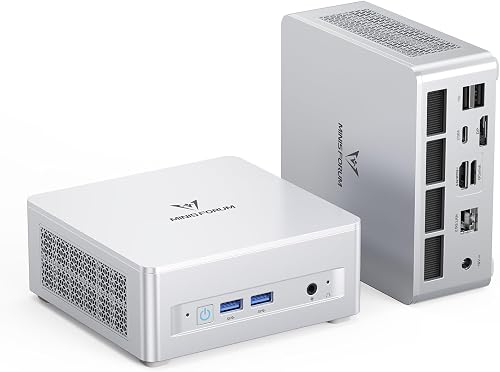
MINISFORUM Mini PC NAB6 Lite Intel Core
Best for dual wired networking - 6
 Check it
MINISFORUM UM880 Plus Mini PC AMD Ryzen
Best for OCuLink and triple displays - 7
 Check it
MINISFORUM NAB5R Mini PC Intel Core i5-13500H
Best for four-screen office desks - 8
 Best for everyday Ryzen 5 tasksCheck it
 - 9
 Check it
MINISFORUM MS-A2 Mini Workstation AMD Ryzen
Best for high-speed wired networks
How we chose the best MINISFORUM mini PCs
We compared the processors, graphics, memory, storage options, video outputs and network connections for each model. Our score weighs specs and features against the needs of someone shopping for this type of system.
The picks cover everyday office work, multi-monitor setups, gaming, expandable storage and workstation networking. They are ranked by how well each configuration fits its intended use, with the highest overall score first.
Compare these MINISFORUM mini PCs
The UM870 Slim offers a strong mix of memory, storage and display support, while each other option adds a feature for a narrower workload. Use this table to spot the main differences before reading the individual picks.
| Product | Best for | Processor | Memory and storage | Display outputs | Our score |
|---|---|---|---|---|---|
| MINISFORUM UM870 Slim Mini PC AMD Ryzen | balanced home and office work | AMD Ryzen 7 8745H | 32GB DDR5, 1TB SSD | HDMI, USB4 and DisplayPort | 9.7 |
| MINISFORUM AI X1 Pro-370 Mini PC AMD | demanding creative workflows | AMD Ryzen AI 9 HX 370 | 32GB DDR5, 1TB SSD | 2x USB4, HDMI 2.1 and DP 2.0 | 9.6 |
| MINISFORUM X1 Lite-255 Mini PC AMD Ryzen | flexible storage expansion | AMD Ryzen 7 255 | 32GB DDR5, 1TB SSD | HDMI, DisplayPort and USB4 | 9.4 |
| MINISFORUM G1 Pro Gaming Mini PC 32GB | gaming and GPU-heavy work | AMD Ryzen 9 8945HX | 32GB DDR5, 1TB SSD | 9.3 | |
| MINISFORUM Mini PC NAB6 Lite Intel Core | dual wired networking | Intel Core i5-12600H | 16GB DDR4, 500GB SSD | 9.2 | |
| MINISFORUM UM880 Plus Mini PC AMD Ryzen | OCuLink and triple displays | AMD Ryzen 7 8845HS | 32GB DDR5, 1TB SSD | HDMI, USB4 and DisplayPort | 9.1 |
| MINISFORUM NAB5R Mini PC Intel Core i5-13500H | four-screen office desks | Intel Core i5-13500H | 16GB DDR4, 512GB SSD | 8.7 | |
| MINISFORUM UM760 Slim Mini PC | everyday Ryzen 5 tasks | AMD Ryzen 5 7640HS | 16GB DDR5, 1TB SSD | HDMI, DisplayPort and USB4 | 8.1 |
| MINISFORUM MS-A2 Mini Workstation AMD Ryzen | high-speed wired networks | AMD Ryzen 9 9955HX | 32GB RAM, 1TB SSD | 7.9 |
The best MINISFORUM mini PCs by workload
The UM870 Slim is the best all-around choice in this group, but the right fit depends on what you connect and what you plan to run. These sections focus on the feature that sets each configuration apart.
MINISFORUM UM870 Slim Mini PC AMD Ryzen: Best for balanced home and office work
- Ryzen 7 8745H, 8 cores and 16 threads
- 32GB DDR5 and 1TB SSD
- Radeon 780M graphics
- Two M.2 SSD slots
A balanced configuration for everyday work, multitasking and a multi-monitor desk. Two M.2 slots and expandable memory give you room to add capacity.
Pros
- 32GB memory and 1TB SSD included
- Three independent display outputs
- Two M.2 SSD slots
Cons
- No OCuLink port
- Integrated graphics rather than a separate GPU
The UM870 Slim is the best starting point for a shared family or home office desk. Its Ryzen 7 8745H has 8 cores and 16 threads, and the system includes 32GB DDR5 memory and a 1TB PCIe 4.0 SSD.
Three video connections support independent displays: HDMI 2.1, USB4 and DisplayPort 1.4. That makes it easier to keep documents, a browser and a video call visible at once, provided your monitors have matching inputs.
The two M.2 2280 slots support up to 4TB of total SSD storage, and the memory can expand to 96GB. For a detailed look at the configuration, read our MINISFORUM UM870 Slim review.
Choose it for a balanced desk setup with room to grow. If you need a dedicated graphics card or more specialized network ports, one of the other models will be a closer match.
MINISFORUM AI X1 Pro-370 Mini PC AMD: Best for demanding creative workflows
- Ryzen AI 9 HX 370, 12 cores and 24 threads
- Radeon 890M graphics
- Three PCIe 4.0 SSD slots
- Four 4K display support
Its 12-core processor, removable memory and three SSD slots suit heavier multitasking and projects that need more local storage. OCuLink also supports an external GPU connection.
Pros
- 12-core, 24-thread processor
- Three PCIe 4.0 SSD slots
- Dual USB4 and OCuLink
Cons
- More capacity than basic office tasks need
- Four simultaneous displays are specified at 4K
The AI X1 Pro fits heavier multitasking and creative work that can use a high-core-count processor and more storage. Its Ryzen AI 9 HX 370 has 12 cores and 24 threads, paired with Radeon 890M graphics.
It includes 32GB of removable DDR5 memory and a 1TB SSD. Three PCIe 4.0 SSD slots support up to 12TB total storage, and the memory can expand to 128GB, which gives this system more expansion headroom than the UM870 Slim.
Two USB4 ports, HDMI 2.1 and DisplayPort 2.0 support up to four 4K displays. The OCuLink port can connect an external GPU, though that adds a separate component to your setup.
Read our MINISFORUM AI X1 Pro review for more detail.
Pick it when you expect to use the extra processor capacity, displays or storage. Basic browsing and schoolwork don't require this level of expansion.
MINISFORUM X1 Lite-255 Mini PC AMD Ryzen: Best for flexible storage expansion
- Ryzen 7 255, 8 cores and 16 threads
- 32GB DDR5 and 1TB SSD
- Two M.2 SSD slots
- OCuLink port
The X1 Lite combines 32GB of memory with two SSD slots and an OCuLink port. It fits buyers who want a compact work PC with options to add storage or connect an external GPU.
Pros
- Memory expandable up to 128GB
- Two M.2 slots
- OCuLink adapter included
Cons
- Using OCuLink takes one M.2 slot
- OCuLink is not hot-swappable
The X1 Lite suits a buyer who wants storage flexibility and an OCuLink connection in a compact system. Its Ryzen 7 255 has 8 cores and 16 threads, with 32GB DDR5, a 1TB SSD and integrated Radeon 780M graphics.
Two M.2 PCIe 4.0 slots allow up to 8TB of total SSD storage. Memory can expand to 128GB, but the OCuLink connection uses one M.2 slot, so decide whether external graphics or a second SSD matters more to you.
HDMI, DisplayPort and USB4 provide three video outputs. The USB4 port also supports up to 40Gbps transfers and PD-in power delivery.
See our MINISFORUM X1 Lite review for a closer model breakdown.
This is a good fit if you want upgrade options for storage or graphics. If you don't plan to use OCuLink, compare it with the UM870 Slim and choose based on the ports and memory ceiling you need.
MINISFORUM G1 Pro Gaming Mini PC 32GB: Best for gaming and GPU-heavy work
- Ryzen 9 8945HX, 16 cores and 32 threads
- NVIDIA GeForce RTX 5060 with 8GB GDDR7
- 32GB DDR5 and 1TB SSD
- Four 4K display support
A dedicated RTX 5060 makes this the gaming-focused pick in the group. Its 3.8 L vertical case and built-in power supply form a more substantial desktop setup than the smaller office models.
Pros
- Dedicated RTX 5060 graphics
- 16-core, 32-thread processor
- Dual M.2 slots
Cons
- Larger 3.8 L vertical body
- Its dedicated graphics are unnecessary for basic office use
The G1 Pro is the gaming-focused choice because it pairs a Ryzen 9 8945HX with a dedicated NVIDIA GeForce RTX 5060 graphics card. The GPU has 8GB of GDDR7 memory, making this the only model here with a separate graphics card.
It includes 32GB DDR5 memory and a 1TB SSD, with support for up to 96GB of memory and 8TB of storage across two M.2 slots. The system supports four 4K displays through its DisplayPort and HDMI connections.
Its 3.8 L vertical body is larger than the small office systems in this roundup. Choose it when gaming or GPU-heavy work is central to the setup, and make sure you have room for the case and its cooling airflow.
MINISFORUM Mini PC NAB6 Lite Intel Core: Best for dual wired networking
- Intel Core i5-12600H, 12 cores and 16 threads
- Two 2.5G Ethernet ports
- Four-monitor output
- Expandable 500GB SSD
Two 2.5G Ethernet ports make the NAB6 Lite a fit for network uses such as a firewall or file server. It also supports four displays through its HDMI and USB-C outputs.
Pros
- Two 2.5G Ethernet ports
- Four-screen output support
- Pop-up housing for upgrades
Cons
- 16GB DDR4 and 500GB SSD are the included configuration
- Integrated Intel graphics
The NAB6 Lite is a practical option for a home network project or desk that needs two wired connections. It has dual 2.5G Ethernet ports, which can suit uses such as a firewall, file server or network storage setup.
Its Intel Core i5-12600H has 12 cores and 16 threads. The included configuration has 16GB DDR4 memory and a 500GB PCIe 4.0 SSD, with storage expandable up to 2TB.
For display work, two HDMI ports and two USB-C ports support four-screen output. Our MINISFORUM NAB6 Lite review covers the ports and upgrade details in more depth.
Choose the NAB6 Lite when dual Ethernet matters more than newer DDR5 memory or a larger included SSD. For a regular family PC without a networking use, the UM870 Slim is a more balanced fit.
MINISFORUM UM880 Plus Mini PC AMD Ryzen: Best for OCuLink and triple displays
- Ryzen 7 8845HS, 8 cores and 16 threads
- 32GB DDR5 and 1TB SSD
- OCuLink port
- Three independent display outputs
The UM880 Plus pairs a Ryzen 7 processor with OCuLink, USB4 and two M.2 slots. It suits buyers who want triple-display support and a path to add an external GPU.
Pros
- OCuLink port and adapter included
- Two M.2 SSD slots
- Three display outputs
Cons
- Using OCuLink takes one M.2 slot
- OCuLink is not hot-swappable
The UM880 Plus combines a Ryzen 7 8845HS processor with OCuLink and two M.2 SSD slots. It arrives with 32GB DDR5 memory and a 1TB SSD, and supports up to 96GB memory and 8TB of SSD storage.
HDMI 2.1, USB4 and DisplayPort 1.4 allow three independent displays. The OCuLink port can connect an external graphics card, but using it takes one M.2 slot and isn't hot-swappable.
This model fits buyers who want a capable office system now and a possible external GPU connection later. Compare it with the UM790 Pro in our MINISFORUM UM790 Pro review if you're weighing similar Ryzen configurations.
MINISFORUM NAB5R Mini PC Intel Core i5-13500H: Best for four-screen office desks
- Intel Core i5-13500H, 12 cores and 16 threads
- Two HDMI and two USB-C video outputs
- Dual 2.5G Ethernet
- 16GB DDR4 and 512GB SSD
The NAB5R offers four monitor connections and dual 2.5G Ethernet in a compact Intel system. Its memory and SSD can be expanded for a larger office workload.
Pros
- Four 4K monitor support
- Two 2.5G Ethernet ports
- Memory expandable up to 64GB
Cons
- Comes with 16GB DDR4 memory
- No OCuLink port
The NAB5R is designed for a multi-monitor office or network setup, with four video outputs and dual 2.5G Ethernet. Its Intel Core i5-13500H has 12 cores and 16 threads, and the system includes 16GB DDR4 memory with a 512GB SSD.
Two HDMI ports and two USB-C video outputs support up to four 4K monitors. The memory can expand to 64GB, and storage can reach 4TB across two SSDs.
Choose the NAB5R if the display and wired network connections solve a specific desk or home lab need. The included memory is lower than the 32GB configurations above, so consider the upgrade path if your workload uses many apps at once.
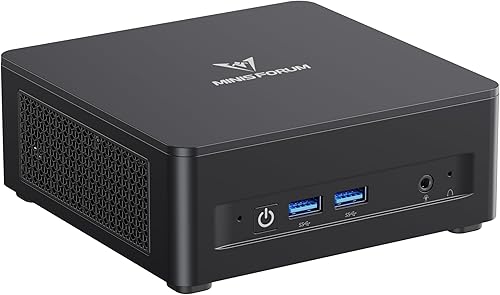
MINISFORUM UM760 Slim Mini PC: Best for everyday Ryzen 5 tasks
- Ryzen 5 7640HS, 6 cores and 12 threads
- 16GB DDR5 and 1TB SSD
- Radeon 760M graphics
- Two M.2 SSD slots
The UM760 Slim offers a Ryzen 5 processor and 1TB SSD for common home and office tasks. Its two M.2 slots allow storage expansion when your files grow.
Pros
- 1TB SSD included
- Two M.2 SSD slots
- Three display outputs
Cons
- 16GB memory is the included configuration
- No OCuLink port
The UM760 Slim covers everyday office work with a Ryzen 5 7640HS, 16GB DDR5 memory and a 1TB SSD. Its six-core, 12-thread processor and Radeon 760M graphics are a step down from the Ryzen 7 models, which helps keep the configuration focused on common tasks.
Two M.2 SSD slots support storage expansion up to 4TB. HDMI, DisplayPort and USB4 offer three display connections, while Wi-Fi 6E and Bluetooth 5.3 cover wireless connections.
Pick it for documents, browsing, video playback and a modest multi-monitor setup. For heavier multitasking, compare the included 16GB memory with the 32GB UM870 Slim.
MINISFORUM MS-A2 Mini Workstation AMD Ryzen: Best for high-speed wired networks
- Ryzen 9 9955HX, 16 cores and 32 threads
- Two 10G SFP+ and two 2.5G Ethernet ports
- Three video outputs
- Multiple M.2 and U.2 storage support
The MS-A2 is a workstation for specialized network and storage setups, with two 10G SFP+ ports and support for several SSD types. Its Radeon 610M graphics make it less suited to graphics-heavy use than the G1 Pro.
Pros
- Two 10G SFP+ ports
- Two 2.5G Ethernet ports
- M.2 and U.2 storage support
Cons
- Radeon 610M graphics
- Specialized networking may go unused on a typical home desk
The MS-A2 is a specialized workstation for wired network and storage builds. It has two 10G SFP+ ports and two 2.5G Ethernet ports, alongside support for M.2 2280, M.2 22110 and U.2 drives.
Its Ryzen 9 9955HX has 16 cores and 32 threads, with 32GB memory and a 1TB SSD in this configuration. Three video outputs can drive multiple displays, but the Radeon 610M integrated graphics make this less suited to gaming or graphics-heavy work than the G1 Pro.
Choose the MS-A2 if you already have a use for high-speed SFP+ networking or enterprise-style storage. For a typical family desk, those connections may add complexity without a practical benefit.
Which MINISFORUM mini PC fits your workload?
The UM870 Slim is the safest general-purpose pick for a home or office desk, while the more specialized models solve clear needs around gaming, networking or expansion. Start with the feature that would be hardest to add later.
For everyday work and multitasking, choose the UM870 Slim. For dedicated gaming graphics, choose the G1 Pro; for dual Ethernet, look at the NAB6 Lite or NAB5R; and for high-speed SFP+ networking, consider the MS-A2.
If you expect to install large media libraries or project files, compare SSD slots and total capacity before you decide. Our guide to how much storage a mini PC needs can help you estimate a suitable starting point.
Is a MINISFORUM mini PC right for your setup?
A MINISFORUM mini PC can suit a desk where compact size, multiple display connections or upgrade options matter. The best model depends on the work you do and the connections already on your desk.
Pick the UM870 Slim for balanced home and office use, the G1 Pro for dedicated graphics, or the AI X1 Pro for higher processor capacity and storage expansion. For specialist networking, compare the dual-Ethernet NAB models with the MS-A2's SFP+ ports.
FAQ answers use the listed product facts and feature comparisons; choose by workload, expansion needs and required connections before committing to a configuration.
Our top 3 picks at a glance
-
1
Best for balanced home and office work
MINISFORUM UM870 Slim Mini PC AMD Ryzen
9.7/10 our score
See it on Amazon -
2
Best for demanding creative workflows
MINISFORUM AI X1 Pro-370 Mini PC AMD
9.6/10 our score
See it on Amazon -
3
Best for flexible storage expansion
MINISFORUM X1 Lite-255 Mini PC AMD Ryzen
9.4/10 our score
See it on Amazon
Frequently asked questions
Which MINISFORUM mini PC is best for most people?
The UM870 Slim is the most balanced choice here, with 32GB DDR5, a 1TB SSD, Radeon 780M graphics and two M.2 slots. It also supports three independent displays.
Choose a different model if you need dedicated gaming graphics, dual wired networking or more specialized storage.
Is a MINISFORUM mini PC good for gaming?
The G1 Pro is the clearest gaming choice in this group because it has a dedicated NVIDIA GeForce RTX 5060 with 8GB GDDR7. The UM870 Slim, X1 Lite and UM880 Plus use integrated Radeon 780M graphics instead.
Match the GPU to the games and settings you want to run.
How much storage should I choose?
A 1TB SSD is a useful starting point for work files and applications, while large media libraries or project files may call for extra drives. The AI X1 Pro supports three PCIe 4.0 SSDs, while the UM870 Slim has two M.2 slots.
Use our mini PC storage guide to estimate your needs.
Which model supports the most monitors?
The AI X1 Pro supports up to four 4K displays. Several models here support three independent displays, while the NAB6 Lite and NAB5R also support four monitors.
Check which ports your monitors use before choosing, since the available connections differ by model.


